TikTok inside your CRM — stop losing leads from DMs and comments
A video picks up views, comments start piling under it, and questions about price and availability land in the inbox. The sales manager finds out when someone opens the app on a personal phone. What follows is a familiar story. Some messages get lost, some sit unanswered until evening, and some walk out of the company along with an employee and their phone. Below is how to move TikTok conversations and comments into the system your team already works in, and which platform rules you have to design around so the channel brings leads instead of noise.
Key takeaways:
- A business cannot message first. The user opens the conversation, so everything about this channel comes down to the speed and quality of your reply.
- You can respond for 48 hours after the person's last message, and inside that window there is a cap of roughly 10 consecutive messages.
- Comments under videos generate as many enquiries as DMs, yet almost nobody handles them systematically.
- Connection runs through official TikTok authorisation, no passwords are shared, and the account faces no risk.
- Webhooks let you build your own logic — routing rules, bots, a comment to direct message chain.
- E-chat pushes events into your CRM, bot or website instead of forcing the team into someone else's interface.
Why TikTok enquiries get lost more often than others
The platform has a quirk that messengers rarely show. Traffic arrives in waves. A video can sit still for 3 weeks and then collect tens of thousands of views and a hundred questions within a day. A team used to a steady trickle of website forms will not process that spike by hand.
Conversations live on a phone, not in the workflow
Account access usually belongs to the social media specialist or the owner. That person sees the DM first. The question about stock gets forwarded to a sales manager through a different messenger, the manager answers, and the answer travels back to TikTok. Every hop costs time and part of the meaning. The CRM holds no trace of that conversation, so the sale, if it happens, looks like a lead from nowhere.
The reply window closes faster than anyone gets to it
The platform lets a business respond for 48 hours from the user's last message. That sounds generous right up until the first weekend. Someone writes on Friday evening, the manager opens the app on Monday morning, the window is shut and nothing can be sent. All that is left is waiting for the customer to write again, and by then they have already asked a competitor.
A comment under a video is an enquiry too
How much is it, do you have it in stock, do you deliver here — half of the buying intent lives under the video rather than in the inbox. Comments are visible to other viewers, so silence works against you twice. The question stays unanswered for its author and for another 200 people who read the thread to the end.
Platform rules your process has to fit around
These limits belong to TikTok itself, not to any particular vendor. Every tool built on the official API lives by the same rules. Knowing them before you connect saves you from designing scenarios the platform will simply refuse to pass through.
The customer always makes the first move
You cannot message a user first. No broadcasts, no cold outreach, no follow-up sequences across your follower base. The person opens the dialogue and the business earns the right to answer. That flips the logic of the channel. Instead of inventing reasons to contact people, you invent reasons for people to contact you. The line asking viewers to send a DM stops being a decorative ending and becomes a working tool.
48 hours and the message cap inside the window
The countdown starts from the customer's last message and resets every time they write again. Inside one window a business can send around 10 messages in a row, after which you wait for a reply. The practical conclusion is simple. Do not split your answer into 8 short lines the way you would in a personal chat. Pack the price, the conditions and the next step into 1-2 messages so the cap stays in reserve.
What you can send and what you can receive
Outgoing messages are text. Incoming ones may carry images, video and audio, and those are available to view, so a photo of a label, a screenshot of an order or a voice note from a customer all come through. The scenario where you ask for a photo of a part and quote a price works. Sending a catalogue as an image does not, so the catalogue goes out as a link.
Account type and country of registration
API access requires a business account, a personal profile will not do. Beyond that, business messaging is not open everywhere. The platform excludes a share of registrations, European and British ones first of all. Check availability against the country the account is registered in rather than the country your viewers live in.
What changes once TikTok is wired into your system
Here is what the channel looks like once conversations stop being a separate tab on somebody's phone. The service links your TikTok account to your own CRM, and all inbound activity arrives where the team already sits from morning to evening.
Direct messages arrive where the team works
The manager replies from the customer card, seeing history, deal stage and the other channels tied to the same person. On top of that come details external tools rarely expose. Delivered, read and failed statuses. Reactions the other person left on a specific message. The option to reply by quoting. Once a thread holds 30 messages, quoting saves far more time than it seems at the start.
Comments flow into the same stream
Comments under your videos land in the same system and can be answered from there. If a comment has already been answered inside the app, that is visible and no duplicate goes out. Two replies stacked under one question look worse than silence, so the check earns its place.
Webhooks instead of somebody else's automation
Every event goes out by webhook to wherever you point it. A new message, a new comment, a status change. Into a CRM, a bot, a website, an in-house service. The logic after that is yours. Some teams set a plain auto-reply outside working hours, some build routing weighted by workload, some wire a public comment reply to trigger a private message.
Connection without handing over passwords
Authorisation runs through the official TikTok mechanism. The account login and password go nowhere, access is issued as a token, and the token refreshes automatically, so the connection does not break every month asking to be relinked by hand. For an account that spent years building an audience, that matters.
A working handling scheme
Technically the connection takes a few minutes. Organisationally it takes longer, because this channel demands a different rhythm than email or website forms. The scheme below rests on a handful of simple decisions.
Coverage and time to first reply
Peaks land in the first 2-3 hours after publishing. If a video goes live at 7 pm and the team works until 6 pm, the whole surge drains away. The cheapest fix is syncing your publishing calendar with your staffing calendar and posting when somebody is there to answer. It costs nothing and delivers more than any automation.
Automatic routing between managers
A TikTok enquiry arrives with no subject, no name and often no context. Sorting out by hand who takes it burns minutes on every lead. A routing rule based on workload or question type solves this at the webhook level. It also removes the case where two people answer the same message and the customer receives two different prices.
The comment to direct message chain
This is the most valuable mechanic the channel offers. Someone asks about price under the video, the manager posts a short public answer and invites them into direct messages for details. The public reply works on other viewers, the private one works on the sale itself. Remember you still cannot open the DM yourself, so the wording of the public reply has to ask the person to write to you.
The first message that moves the conversation
The window and the cap make polite small talk a luxury. A reply along the lines of hello, how can I help burns the window for nothing. A different format works. The answer to the actual question first, then the one detail you need for a quote, then a single concrete next step. Several meanings in one message instead of several messages in a row.
Expert insight
At E-chat we see the same pattern on every new channel. A business connects the integration first and then spends a month arguing about who owns the replies. The reverse order works. Assign the person and the response time standard first, connect the channel second. Then the very first wave of views turns into leads rather than a list of missed enquiries. Separately, do not design scenarios that assume outbound initiative. The platform does not grant it, there is no way around it, and all you have is the quality and speed of your answer to what came in on its own.
— the E-chat team
How this plays out across industries
The same integration produces different results depending on what happens after the first message. Below are the segments where the channel already pays for itself, and the working logic for each.
Retail and wholesale
Questions about stock, size, colour, delivery dates. Volume is high and the value of any single enquiry is moderate, so automation wins. Canned replies, automatic routing and instant capture of the enquiry in the pipeline deliver more than a personal touch on every question.
Automotive, real estate and other expensive leads
Here a single conversation can be worth more than a year of any subscription. The value lies not in volume but in making sure no enquiry goes unanswered and the whole history sits in the CRM rather than on the personal phone of a manager who may leave for a competitor tomorrow with the contacts.
Beauty, clinics and appointment-based services
A video showing a treatment collects questions about price and free slots. An answer 6 hours later is no longer a booking, because the person found another salon and booked there. A CRM link lets you create the appointment straight from the conversation without asking for a name and phone number in a separate message.
Travel
A trip gets discussed at length and by voice, but it all starts with a comment under a hotel video. The job of the channel is to get the person to a consultant and preserve the context. When the conversation sits in the CRM next to a history of past trips, the talk starts halfway rather than from a blank page.
What to measure and how to choose the setup
The channel is easy to write off if you only look at follower counts. The useful numbers sit elsewhere, and a month of work is enough to collect them.
Time to first reply and share of dialogues inside the window
Two numbers explain almost everything. Median time to first reply shows whether the team keeps up with the traffic. The share of dialogues answered inside 48 hours shows how many enquiries died from scheduling rather than from price or assortment.
The path from comment to closed deal
If TikTok enquiries drop into the pipeline tagged with their source, a month later the real picture appears. How many conversations, how many deals, what average value. Without the tag the channel always looks unprofitable, because leads dissolve into the general flow and get credited to other sources.
Your own interface versus a closed platform
Respond.io, SaleSmartly, Kommo and Chatfuel solve the task through their own window. The team moves in, works by their rules, pays per seat and runs into plan limits. E-chat solves the same task differently. Events go into your CRM, bot or website, team processes stay as they are, and TikTok takes its place alongside Viber, Telegram and WhatsApp already connected to the same system. With 12 people in the department, the cost difference shows up in the first month.
Connecting a TikTok account takes a few minutes, and from then on messages and comments arrive wherever your team finds it convenient to work.
FAQ:
Question: Can several TikTok accounts be connected to one system?
Answer: Yes, the service places no limit on the number of connected accounts. Each account authorises separately, and events can be split across different webhooks so enquiries from the main profile and a regional one reach different teams.
Question: What happens to a conversation if a manager replies inside the TikTok app?
Answer: The reply stays in the thread and the system sees it. For comments this check is explicit and no second reply goes out. Mixing both ways of working is possible, but it is simpler to agree that all communication happens in the working system, otherwise part of the context ends up outside the CRM again.
Question: Does the history survive if the business switches CRM?
Answer: History lives in whichever system you store it in. When moving to another CRM, conversations migrate together with the database in the usual way. The channel itself is reconnected from scratch, while the audience, the account and access rights stay untouched.
Question: How do you handle enquiries that come in overnight?
Answer: An auto-reply fired by webhook goes out the moment the message arrives and holds the person until the team is back. What matters is that the morning answer leaves before the window expires. A Friday night message needs a reply by Sunday evening at the latest, otherwise the conversation closes before Monday.
Question: What happens to a comment the author deletes after you reply?
Answer: The thread disappears inside TikTok, while the event about that comment stays in your system because it already arrived by webhook. That helps when reviewing disputes and building statistics, but viewers no longer see the public reply or the original comment.
Question: Do you need a developer to get started?
Answer: Connecting an account and receiving messages into a ready CRM integration needs no developer. One becomes useful when you want to build your own logic on top of the webhooks — a bot, custom routing or a link to an internal accounting system.
Was this article helpful?
Share it with colleagues who might need it
Connect messengers to your CRM
Message clients first right from the client card and keep all conversations in your CRM. 7-day free trial, up to 40% off when connecting several numbers.
Read also
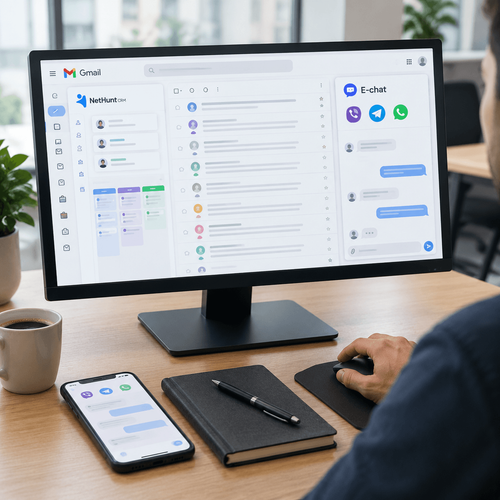
NetHunt CRM plus E-chat. Messengers inside your Gmail workspace
Your CRM is not on the list. Connecting messengers through ApiX-Drive and Wepster
Messenger integration with Kommo. A full overview
Customers stopped answering calls from unknown numbers a long time ago, yet they read a Telegram or WhatsApp message within the hour. A sales team still living on calls and email hands deals to competitors every day — competitors who reply in the messenger within 2 minutes, straight from a Kommo lead card. This overview covers how a messenger-to-Kommo setup works using E-chat as the example, which deal scenarios it handles, how to configure automated messages by pipeline stage, and what managers and integrators should consider before launch.