NetHunt CRM plus E-chat. Messengers inside your Gmail workspace
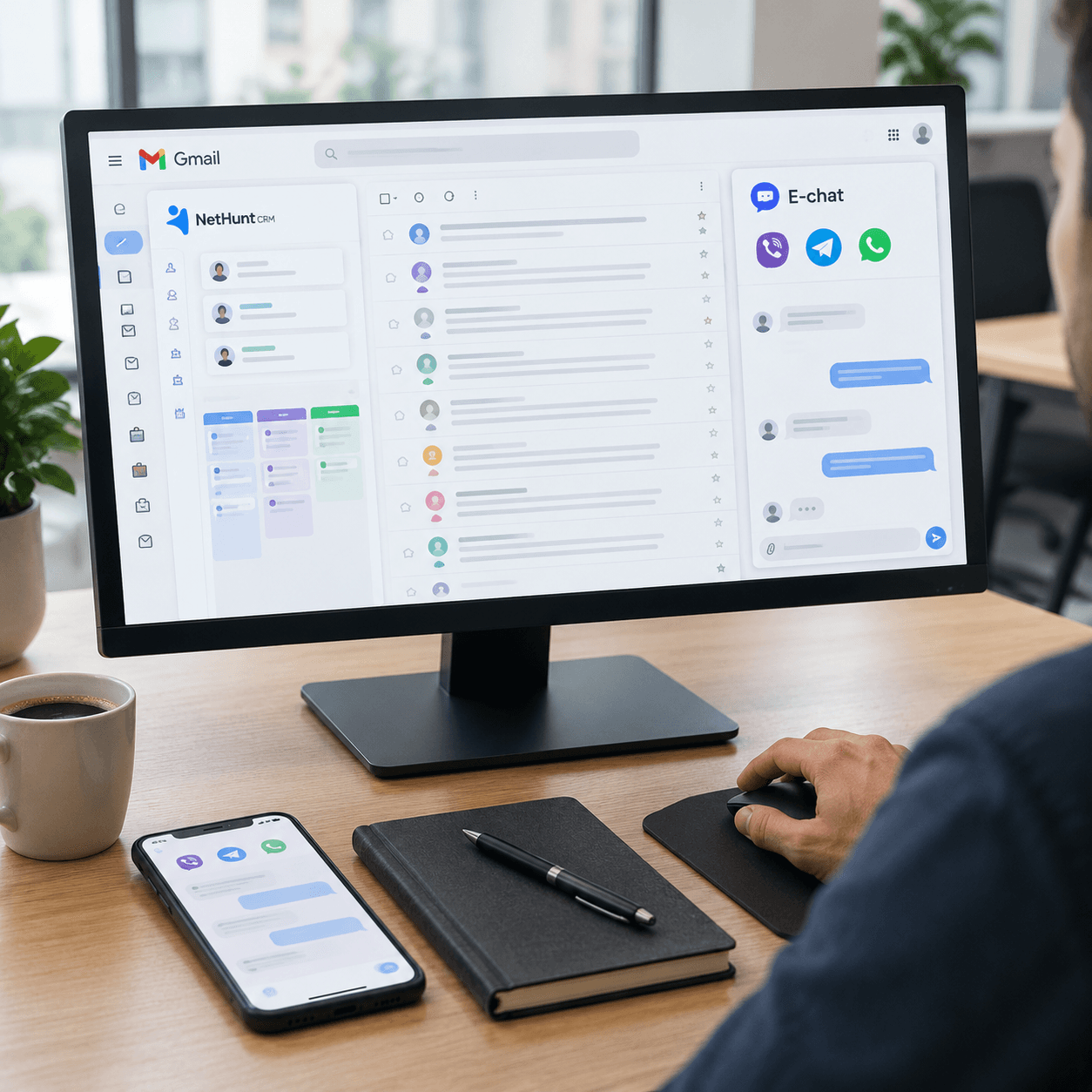
Your team runs deals right inside Gmail with NetHunt, while customers message managers on Telegram, Viber and WhatsApp on their phones. With E-chat, the messenger number itself connects to NetHunt, and conversations happen in the CRM workspace next to the contact or deal record. Whether a manager replies from the CRM or from the phone, the history still ends up in NetHunt.
An admin can set it all up in one go if they know ahead of time where the API key lives, how to grant access to roles, and why chat search won't find a phrase from a message. All of that is covered below, and at the end you'll find the messengers' limits on first messages. Better to know them before your team starts messaging leads from the CRM.
Key takeaways
- A Telegram bot can't message someone who has never started it, while a phone-number account connected via E-chat can write from the customer card with no prior conversation.
- NetHunt will ask for a phone number already added to your E-chat account and the API key from your profile.
- You can search chats by name, username and phone number. Search doesn't cover message text, so keep the order or contract number in a field of the record linked to the chat.
- You pay for connected accounts, with as many managers as you like.
- According to the E-chat help center, a new WhatsApp account can handle 5-10 new conversations a day, an older active one 20-30.
E-chat number vs. Telegram bot - what's the difference for NetHunt
If you search for how to connect messengers to NetHunt, the first results are guides about a Telegram bot and general overviews of WhatsApp. A bot and a number do different jobs, and mixing them up at the start costs you. The team sets up a bot, and a week later finds out it can't message a lead who came in through the website form.
E-chat connects a regular phone-number account on Viber, Telegram or WhatsApp to NetHunt, the same one installed on the manager's phone. The customer sees a conversation with a person who has a name and a phone number.
Who writes first
A Telegram bot can't send a message to someone who has never started it. That's fine for inbound requests, since the customer presses Start themselves. But with a cold lead, a repeat sale or a reminder about an unpaid invoice, the bot can't do anything, the first message simply won't go through.
A phone-number account writes from the customer card even if there's been no conversation before. The ceiling here is set by the messenger, not by E-chat, more on that in the last section.
Phone and CRM in one history
A manager in the field replies from the phone, in the office from NetHunt. E-chat saves every message sent from the device to the CRM, so the team lead sees the whole conversation and doesn't have to figure out where a reply came from. Documents, photos, videos, voice messages and video messages go both ways too.
What it costs
E-chat doesn't limit the number of managers, you only pay for connected accounts. Under E-chat pricing, a month of Telegram costs $16.99, WhatsApp $15.99, Viber $29.99.
Say a team of six needs Telegram and WhatsApp. Both messengers for everyone come to $32.98 a month, and the total stays the same if four more people join. If you pay for several accounts at once for 12 months, the discount goes up to 40%, for one month up to 26%.
Connecting a number to NetHunt step by step
The work splits into two parts. First the number is activated in E-chat, then NetHunt gets access to it with an API key. The order can't be changed, the help center says plainly that by the time you connect, the phone must already be in your E-chat account.
Activation in your E-chat account
You sign up for an account, add a Viber, Telegram or WhatsApp number and confirm it from the phone by scanning a QR code, just like logging in to the messenger's desktop app. E-chat starts syncing on its own.
Where to find the API key
The key is in your account profile at e-chat.tech/profile. You'll paste it into NetHunt along with the phone number. The key gives an external system access to your account, so it belongs in a password manager, not in the team chat.
The Chats section in NetHunt
In NetHunt, open the Chats section, click Connect chat and choose a messenger. In the form, enter the phone number and the API key from your E-chat account.
The steps are the same for a second and third messenger. Phone-number Viber, Telegram and WhatsApp accounts connect to NetHunt the same way, and each has its own instruction page in the E-chat help center.
WhatsApp and switching phones
WhatsApp connects through the Web version, so it has the same limits as a personal account. The E-chat help center lists frequent device and IP address changes among the reasons for bans. If your work WhatsApp moves from one phone to another every week, sooner or later it will come back to bite you.
[Expert insight] E-chat's Viber guidelines include two rules for the phone used for activation. Don't uninstall the Viber app from it, and don't use the Change Number feature on it. You don't need to keep that phone switched on, though, a phone that's off doesn't affect the service, so you can safely put it away in a desk drawer. If something goes wrong after connecting to NetHunt, message us on Viber or via the Telegram bot @echat_support_bot, on weekdays from 9 to 19 our support replies in 3 minutes on average.
Chat access - who gets what
Permissions are granted in NetHunt's messenger settings. You can open access to a specific manager or to a workspace role, and each permission comes with a description, so you won't have to guess what it allows.
Say a company has four salespeople, two support agents and a manager. Sales gets Telegram and WhatsApp, support gets Viber, where existing customers write in, and the manager gets all three. Assigning permissions to roles is easier than to individuals. A new hire gets access the moment they're assigned a role, and nobody has to remember which boxes were checked for their predecessor.
What stays with the company when a manager leaves
An employee can't take the number, export the database or move conversations to a personal chat. The account belongs to the company and is connected through E-chat, and the history lives in NetHunt. When someone leaves, their role is removed and their chats are reassigned to another owner, and the customer keeps writing to the same place as before.
If you're setting this up for a client as an integrator
Before setting up permissions, agree on three things with the client. Which accounts will be used, since an older active one handles more first messages than a new one. Who gets access through a role and who needs individual permissions. Who keeps the API key after the project is handed over.
From 20 connected numbers, E-chat offers special terms, and integrators can join the partner program at partners.e-chat.tech.
Conversations in the NetHunt workspace
NetHunt itself runs inside Gmail and Google Workspace. Messenger chats land in the same workspace where the team keeps its records, and managers no longer have a separate WhatsApp Web tab open all day.
Morning review with filters
Conversations can be filtered by status - open, unanswered, closed - and by owner. Here's a handy morning routine. The team lead opens the unanswered filter and checks who has loose ends from the night before. Each manager filters their own chats by owner and starts with the unanswered ones.
Once an issue is resolved, the chat is marked closed so it doesn't clutter the open list the next day. Chats that were read but need no reply are marked as read, and spam and chats created by mistake are deleted.
Linking a chat to a record
A new chat is linked to an existing NetHunt record, or a new record is created from it. After that, the conversation shows up as an event in the record's activity history, whether it's a contact, a company, a deal or any other record. A manager who opens a deal sees the customer's messages in its history without switching to the messenger.
One rule is enough for the team - a chat left unlinked at the end of the day counts as an open task. Otherwise, within a month the workspace fills up with conversations that aren't in any deal, and you'll have to hunt for them by hand.
Search and its limitation
You can find a chat by first and last name, chat title, username or phone number. NetHunt doesn't search message text, so a query like order 4518 returns nothing.
The workaround is a matter of process. The manager enters the order, invoice or contract number in a record field and links the chat to that record, so a search across NetHunt records leads to the deal, and the deal leads to the conversation. A specific phrase from an old conversation is quicker to find in the messenger app on the phone where that account is installed.
Bulk actions
After a long weekend, the open filter can pile up with dozens of conversations. You select them and close them or mark them as read all at once, instead of going through them one by one.
First messages from NetHunt without getting banned
From a NetHunt record, a manager can message a customer they've never talked to before. E-chat doesn't cap the number of such messages, the limits come from the messengers, and each has its own. All figures below are from the E-chat help center.
For example, take a team of four managers where each wants to message eight new leads a day. That's 32 first messages from one account. A new WhatsApp account handles 5-10 new conversations a day, and for Telegram we recommend up to 20, so you'll need to spread the plan over several days or split leads across different messengers.
Telegram
Telegram has no official limits. We recommend no more than 20 new contacts a day, and up to 40 for older active accounts. If the lead's record has a username, message them by username, since that gives you more headroom than starting by phone number.
For violations, Telegram first restricts sending for a while. In our experience, when the restriction comes through the API, the pause lasts 4-24 hours. Repeated violations get the number banned permanently.
Viber and new accounts
On a new account, a ban can hit as early as the fifth message to new contacts in a day. The help center advises no more than 20 new messages a day to people you haven't talked to, and once a customer has replied even once, we haven't seen any limit. According to the E-chat help center, 90% of Viber bans come from starting conversations too often, and spam complaints also lead to bans. If Viber on that phone has been banned before, treat it with the limits for a new account.
WhatsApp and the first message text
Older active accounts handle 20-30 new conversations a day, new ones 5-10. There are no limits in conversations that have already started. Spread sending over the whole day, vary the greeting from customer to customer, and don't put a link in the first message. The help center also lists identical templates with no personalization among the reasons for bans.
For a lead from a website form, a message that works looks like this - "Hi! You submitted a request to rent a venue on October 14, and we'd like to confirm the number of guests. Is it convenient to discuss here?" The manager sends the link to the estimate as a second message once the customer replies.
For the first week after connecting a new account, set a quota of five first messages a day for managers in NetHunt, and route the rest of the leads to messengers with a history.
FAQ
Question: Will conversations stay in NetHunt if we change the number?
Answer: Yes. If you replace the number in E-chat and reconnect it to the CRM, the conversation stays in the customer card. The customer won't know about the change until you message them, so it's best to introduce yourself in the first message after the switch.
Question: Are there limits on file size and message length?
Answer: According to the E-chat help center, files can be up to 200 MB in Viber and up to 128 MB in Telegram. A message in either messenger holds up to 4096 characters, so a long sales proposal is easier to send as a document.
Question: Can I test the NetHunt integration before paying?
Answer: The first 7 days of E-chat are free. In that time, connect a messenger, grant permissions to one role, link a couple of chats to records and send first messages to a few customers.
Question: Can I set up an auto-reply for after hours?
Answer: Automated messages are a CRM feature, and E-chat delivers them to the messenger. If your CRM has a workflow that sends a message, for example when a deal status changes, it will go to the customer through the connected account. Check NetHunt's automation settings to see whether your NetHunt plan includes such a workflow.
Question: What should an integrator do if the client has its own system besides NetHunt?
Answer: E-chat has an API, with documentation in the help center at help.e-chat.tech. You can use it to build your own solution for a system that isn't on the integrations list. ApiX-Drive and Wepster connect Viber only, so for Telegram and WhatsApp the API is the way to go.
Was this article helpful?
Share it with colleagues who might need it
Connect messengers to your CRM
Message clients first right from the client card and keep all conversations in your CRM. 7-day free trial, up to 40% off when connecting several numbers.