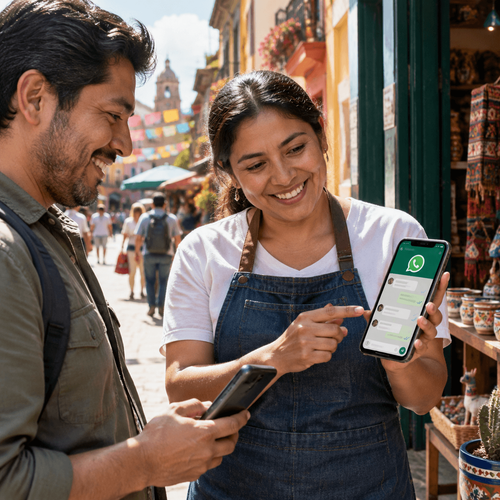
WhatsApp as the primary sales channel in Kazakhstan — running deals from your CRM without losing enquiries
Call a customer in Kazakhstan and there is a good chance they will decline the call and reply with “Who is this? Message me on WhatsApp.” That is how the local market works. The messenger stopped being an add-on to the phone years ago — it is the phone. Customers send enquiries as voice notes at 2 a.m., forward a product photo asking “do you have this one?”, negotiate in the thread and confirm payment in the same place. A business that only accepts enquiries by phone hands buyers to competitors every day — competitors who have WhatsApp connected to their CRM. This article covers how the market got here, exactly where sales teams lose customers, and how to build a system where no conversation ends without a deal record.
Call a customer in Kazakhstan and there is a good chance they will decline the call and reply with “Who is this? Message me on WhatsApp.” That is how the local market works. The messenger stopped being an add-on to the phone years ago — it is the phone. Customers send enquiries as voice notes at 2 a.m., forward a product photo asking “do you have this one?”, negotiate in the thread and confirm payment in the same place. A business that only accepts enquiries by phone hands buyers to competitors every day — competitors who have WhatsApp connected to their CRM. This article covers how the market got here, exactly where sales teams lose customers, and how to build a system where no conversation ends without a deal record.
Key takeaways:
- More than 85 % of Kazakhstan’s online population uses WhatsApp, making it the country’s dominant communication channel — customers expect businesses to be reachable there
- Messaging from reps’ personal phones means the customer base belongs to the employee, not the company, and leaves when they do
- Integrating WhatsApp with a CRM moves conversations into the deal card, so managers see every enquiry, every reply and every pause
- E-chat lets you message a customer first even if they have never contacted you, which unlocks outbound sales and work with cold lists
- Automated CRM notifications in WhatsApp remove routine work: order statuses, reminders and confirmations go out without a human
- Setup takes under an hour, plans start at $15.99 per number per month, and the first 7 days are free
Why WhatsApp replaced telephony in Kazakhstan
This is not a fad. The habit of messaging instead of calling formed over more than 10 years and is now so entrenched that many companies advertise only a WhatsApp number, with no landline at all. Several forces drive it, and each is significant on its own.
The numbers behind the habit
Kazakhstan has some of the highest WhatsApp penetration in the world. Over 85 % of internet users are on the app — roughly 14–16 million people. For comparison, Telegram reaches around 45 % of the population and Instagram about 50 %. The gap is enormous.
WhatsApp open rates reach 95 %, while SMS is read by roughly 23 % of recipients. Average time to read is 3–5 minutes. People check the messenger dozens of times a day; it is always at hand and notifications are on. A call, by contrast, demands that the person stop what they are doing, find somewhere quiet and hold the details in their head. Messaging asks none of that — customers reply from a lift, from a meeting, from traffic on Al-Farabi Avenue.
There is a practical side too. The thread keeps the price, the address, the bank details and the product photos. Nothing has to be written down from memory. A customer can return a week later and continue from the same point. A phone call offers nothing comparable.
What this means for a sales team
Moving communication into a messenger changes the mechanics of a deal. A rep used to handle 5–7 phone conversations an hour; now they run 15–20 threads in parallel. Customers reply on their own schedule, deals stretch across days, and the number of touchpoints grows. That workload is impossible by voice and entirely manageable in writing, provided the process is organised.
Speed expectations change as well. A buyer who messages on WhatsApp expects a reply within 10–15 minutes. An hour later they are already talking to a competitor, because sending the same question to 3 more companies costs them 2 minutes. The winner is not the cheapest but the one who answered first and answered usefully.
Finally, messaging leaves a trail. Every enquiry, every reply and every pause is recorded. For a manager, that is the first chance to see sales as they really are, rather than as they are described at the Monday meeting.
Where sales teams lose customers on WhatsApp
The paradox is that moving into the messenger does not by itself save sales. Companies in Kazakhstan use WhatsApp en masse — and lose enquiries in it en masse. Owners usually have no idea, because a lost enquiry leaves no trace in any report. Here are the typical patterns. Recognise your team in even one of them and money is leaking right now.
Reps’ personal phones
The most common setup: reps message customers from their own numbers. Convenient at the start, expensive later. The customer base physically lives in someone else’s smartphone. A rep leaves and takes hundreds of contacts and the full history with them, sometimes straight to a competitor. They fall ill, go on holiday or lose the phone, and the conversations stop while customers message into the void.
Quality control is impossible in principle. What was promised, what discount was offered, why the deal collapsed — the manager only ever hears a retelling, with nothing to verify it against.
One shared company phone
The second pattern looks more civilised: a shared work handset that staff take turns using. The problems do not disappear, they change shape. Nobody knows who replied to a customer or whether anyone did. Reps confuse threads, answer in the wrong conversations and forget to record what was agreed. An enquiry that arrived on Friday evening surfaces on Tuesday, by which time the customer has bought elsewhere.
The arrangement does not scale. Three reps can share 1 phone, more or less. Ten cannot.
Messaging in one place, CRM in another
The third pattern shows up even in mature companies. The CRM is implemented, the pipeline is configured, but WhatsApp lives its own life. The rep messages on a phone and then types a summary into the deal card. In theory. In practice, maybe half of it gets transferred, usually as “customer is thinking”. Analytics built on that pipeline are fiction, because half the touchpoints simply do not exist in it.
Add the duplicated effort. A rep can spend up to 1.5 hours a day moving information from the messenger into the system — time stolen from selling.
What WhatsApp sales look like from a CRM
Now the fix. The E-chat integration links WhatsApp numbers directly to your CRM: conversations happen inside the customer card, the history is saved automatically, and reps never open the messenger on a phone at all. The service has been on the market for 6 years and passes more than 400,000 messages a day, with over 20 ready-made integrations from Bitrix24 and Kommo to systems connected via API. Here are the core mechanics.
Every conversation in the deal card
A customer messages your company’s WhatsApp and the message appears in the CRM instantly. If the customer is new, the system creates a lead and assigns a task to the responsible rep. The rep replies from the card without switching windows, with all the deal information right there — value, pipeline stage, past orders, colleagues’ notes.
The conversation history belongs to the customer, not the employee. When a rep leaves, someone else picks up the thread and sees everything from the first message. Changing the number breaks nothing either; the correspondence stays in the card. The customer never has to explain what they wanted for the fourth time.
Files, photos, video, voice and video messages travel both ways. That matters in this market, where customers love voice notes and sellers send warehouse photos by the dozen.
Messaging a customer who never wrote to you
Most integrations can only receive inbound messages. E-chat lets you write first, to someone with no prior conversation. For a sales team that opens a whole layer of work. Cold calling is replaced by personalised messages to a trade show list. A customer who left a number on the website gets a message 2 minutes after the enquiry, while interest is hot. A buyer from 3 months ago receives a reorder reminder.
Reaching a customer in Kazakhstan by phone from an unknown number is close to hopeless — people do not pick up. A message, however, gets read. And answered when it suits them.
Automation that sells without a rep
Linking WhatsApp to a CRM lets you attach automated actions to pipeline stages. A deal moves to “Paid” and the customer receives a confirmation with the order details. The order ships and a tracking notification goes out. A customer has not bought for 60 days and receives a personalised offer. All of it runs without human involvement, around the clock, through weekends and public holidays.
Chatbots handle routine questions about availability, price and opening hours and pass a warmed-up customer to a human. If your CRM supports automation scenarios, E-chat will execute them in WhatsApp — the service caps neither outbound nor inbound messages, nor the number of users, on any plan.
Expert note. “Six years of working with businesses in this region taught us a simple pattern. A company that moves WhatsApp into its CRM discovers, in the very first month, 20–30 % of enquiries the manager never knew about — they were dissolving into reps’ personal phones. You do not need a bigger ad budget to grow. You need to stop losing the people who already messaged you. The second effect is speed. When a message lands as a CRM task with a deadline, average response time drops from 40–50 minutes to 5–7. In a market where the customer is messaging 3 competitors in parallel, that is the competitive advantage,” says the E-chat team.
How to roll out WhatsApp sales in your team
The good news is that this is not a multi-month project with developers and a budget. The technical part takes under an hour; the organisational part takes a couple of days. Below is the plan hundreds of companies have followed.
Connecting in 4 steps
Step 1, register with E-chat, which takes a couple of minutes. Step 2, activate your WhatsApp number in the service, confirming from a mobile device. An existing working number is fine and your current conversations stay where they are. Step 3, synchronisation, which runs automatically on the same principle as linking WhatsApp to a computer. Step 4, connect to your CRM using the step-by-step guide — under a minute in total.
If your system is not on the ready-made list, connect through Apix-Drive, Wepster or the API directly. The first 7 days are free, which is enough to run real deals through the setup and judge the effect before paying. After that, plans start at $15.99 per WhatsApp number per month, and paying for several numbers over 3, 6 or 12 months brings the discount to 40 %.
Setting up the process
Technology without rules works at half strength, so agree the rules while you connect. Set a response standard: 10 minutes during working hours is realistic and still beats most competitors. Distribute inbound messages by rotation, by product line or by territory — your CRM can assign an owner automatically.
Prepare templates for recurring situations: greeting, request for billing details, catalogue delivery, a polite nudge on a stalled thread. A template saves 2–3 minutes per message and removes inconsistency in tone. Leave room for personalisation, though — customers here recognise a mass mailing instantly and ignore it just as fast.
Agree on languages as well. A substantial share of customers write in Kazakh or switch between Kazakh and Russian inside a single conversation. Reps should answer in the language of the enquiry; it has a measurable effect on conversion, especially outside the largest cities.
What managers should track
Once conversations live in the CRM, a sales manager finally has honest data. Watch a few metrics. First response time per rep, which correlates directly with conversion. The share of unanswered conversations, which should be 0 in a healthy team. Enquiry-to-deal conversion per rep, where the difference between a strong and a weak seller can reach 3x — and is now visible.
Read conversations selectively. Not as surveillance but as training material: the best threads from your strongest sellers become scripts for everyone. That experience used to be locked inside someone’s phone; now it works for the company.
FAQ:
Question: Can several reps work on 1 WhatsApp number?
Answer: Yes. E-chat sets no limit on users on any plan. All reps work with conversations from the CRM at the same time; each sees their own deals and the manager sees everything.
Question: Will WhatsApp block a number used through an integration?
Answer: The risk comes from behaviour, not from the integration. Bulk identical messages to strangers look like spam to the platform. In normal sales work, where messages are personal and customers reply, numbers run for years. To be safe, ramp up activity on a new number gradually.
Question: Do we need a separate SIM, or can we use the number customers already write to?
Answer: Your existing number works. When it is activated in the service, current conversations remain and new ones start duplicating into the CRM. Many companies also connect reps’ personal numbers to bring existing conversations into the company’s system.
Question: Does the system handle messaging in Kazakh?
Answer: Fully. WhatsApp and CRMs work with any language, and you can maintain templates and automated notifications in Kazakh and Russian in parallel, sending each customer the version matching their enquiry.
Question: What happens to conversations if we change plan or move the number?
Answer: The full history stays in the customer cards in your CRM regardless of plan. Even replacing the WhatsApp number itself does not remove the accumulated correspondence from the system.
Question: How long does it take to train the team?
Answer: Almost no time. Staff keep working in the CRM interface they already know; a conversation window simply appears in the card. Most teams are comfortable within 1 working day.
Was this article helpful?
Share it with colleagues who might need it
Connect messengers to your CRM
Message clients first right from the client card and keep all conversations in your CRM. 7-day free trial, up to 40% off when connecting several numbers.