Deleting an account
How to remove a WhatsApp account from the E-chat cabinet
To remove a number from the main block of active numbers, just go to the integrations section, find the number you want to hide, click on the gear icon next to it. You will see an additional menu with a button to hide the number.
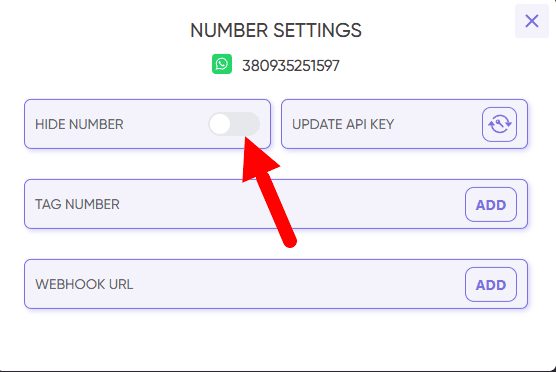
The number will be moved to the “Hidden numbers” block, and email notifications for this number will be disabled. Confidential number data is stored in accordance with the Privacy Policy.
If you want us to remove this number completely from the E-chat service, please contact our technical support.
Once a number has been deleted through technical support, it is not possible to add this number to E-chat again.
Was this article helpful?
Share it with colleagues who might need it
Connect messengers to your CRM
Message clients first right from the client card and keep all conversations in your CRM. 7-day free trial, up to 40% off when connecting several numbers.