Sitniks
Connection
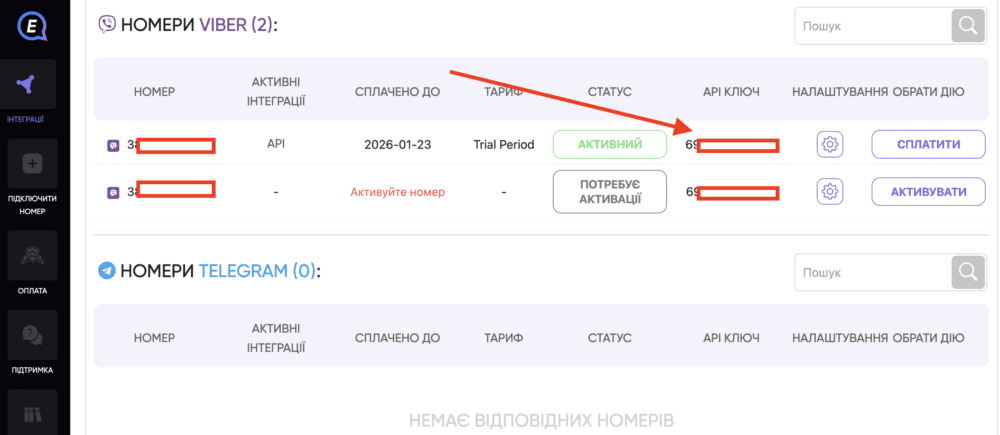
To connect the Viber integration using your own phone number, obtain the access credentials from your E-Chat account:
https://e-chat.tech/profile/integration
Copy the API key. You will need it when configuring the integration in Sitniks.
Configuring the Integration in Sitniks
1) Sign in to Sitniks and go to:
"Integrations" -> "Viber Private"
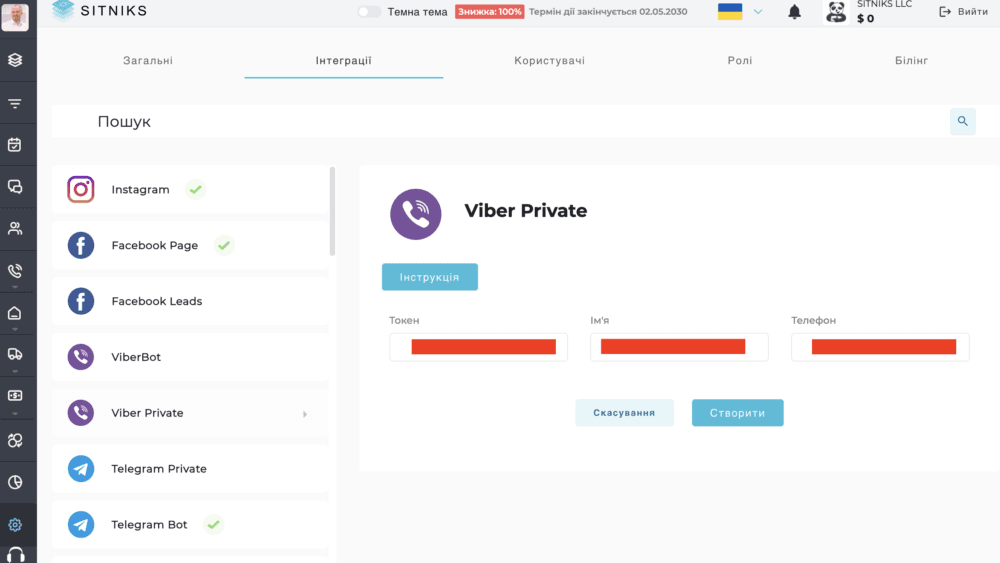
2) Complete the following fields:
- Token - paste the API key copied from your E-Chat account.
- Name - enter a name for the integration.
- Phone - enter the phone number of the account you want to connect.
The "Name" field is used to identify the integration. If you plan to connect multiple phone numbers, it will help you distinguish chats by their source.
3) Click "Create".
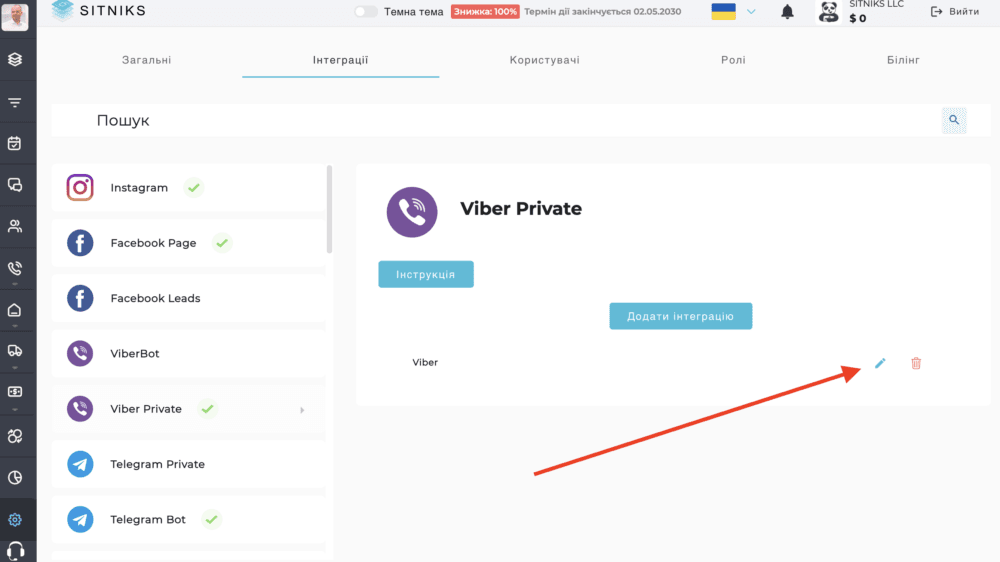
4) After creating the integration, click the edit icon next to it.
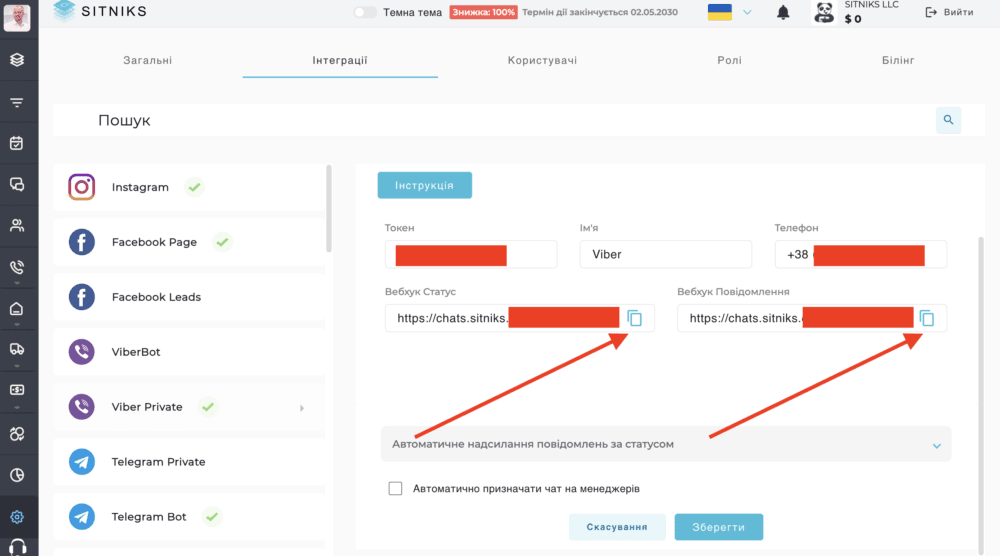
5) Copy the following URLs:
- Status Webhook;
- Message Webhook.
Configuring Webhooks in E-Chat
1) Open your E-Chat account:
https://e-chat.tech/profile/integration
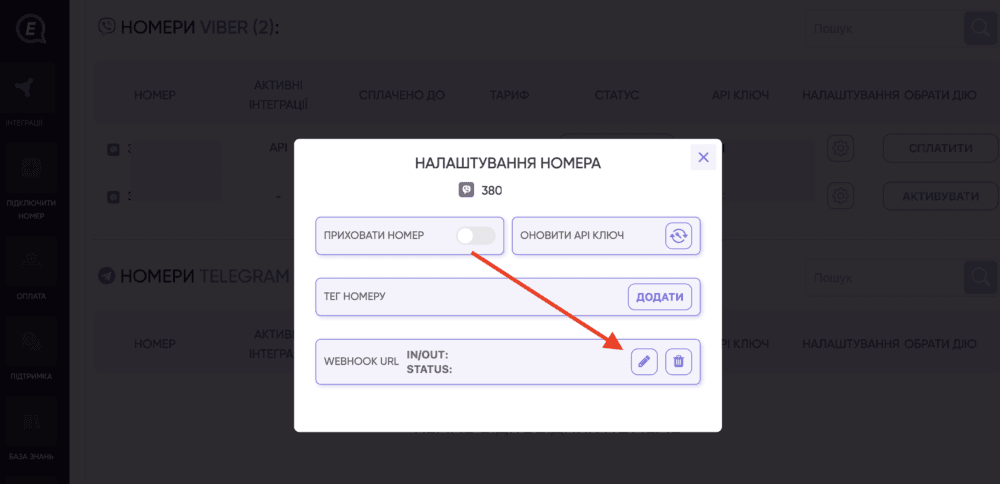
2) Locate the required phone number and click the settings icon.

2) In the "WEBHOOK URL" section, click the edit icon.
3) Complete the fields as follows:
- Incoming message webhook URL - paste the "Message Webhook" URL copied from Sitniks.
- Sent message status webhook URL - paste the "Status Webhook" URL copied from Sitniks.
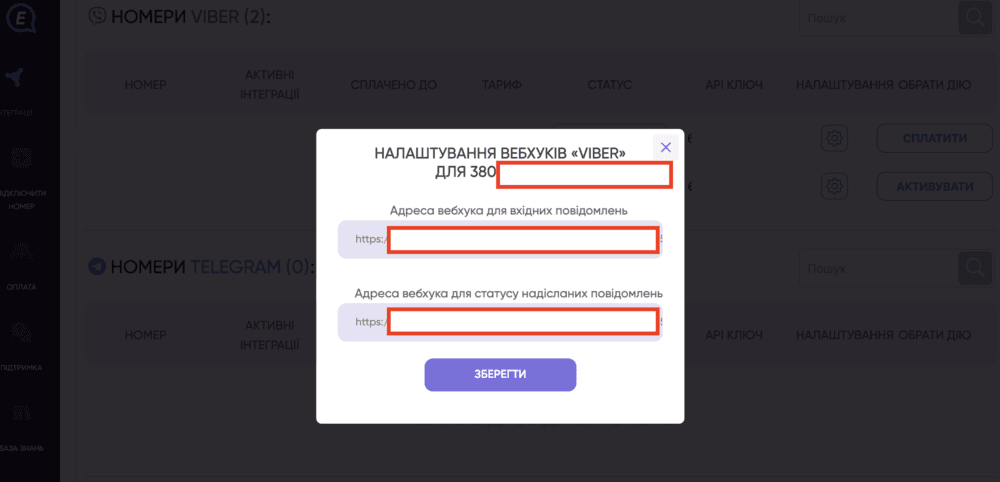
4) Click "Save".
After completing the setup, we recommend testing both sending and receiving messages through the integration.
Was this article helpful?
Share it with colleagues who might need it
Connect messengers to your CRM
Message clients first right from the client card and keep all conversations in your CRM. 7-day free trial, up to 40% off when connecting several numbers.