SalesDrive
integration and customization in SalesDrive
1) Log in to your SalesDrive portal.
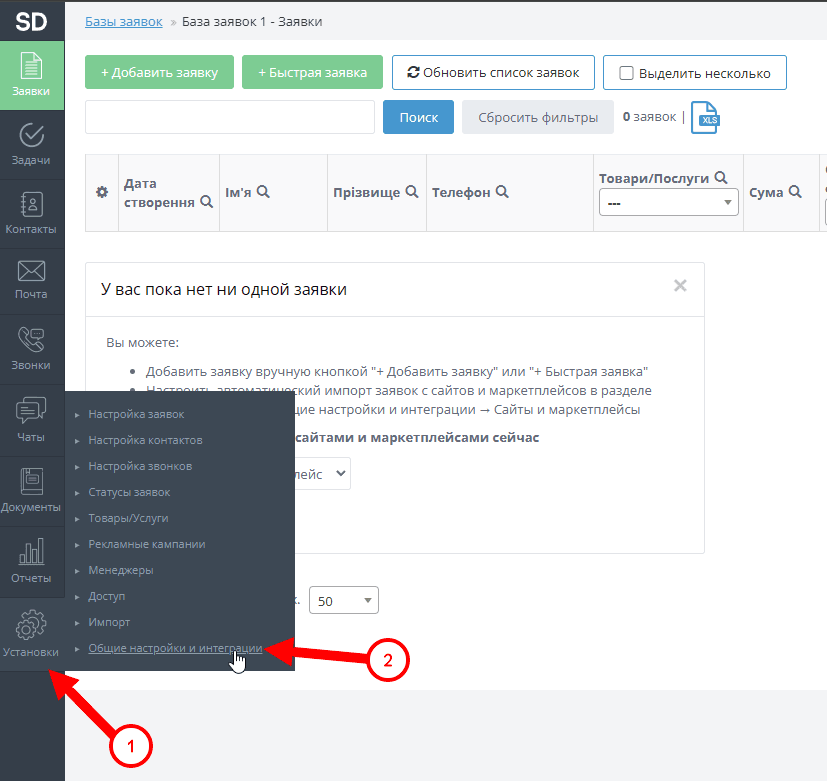
2) Go to the following section: Settings > General Settings and Integrations
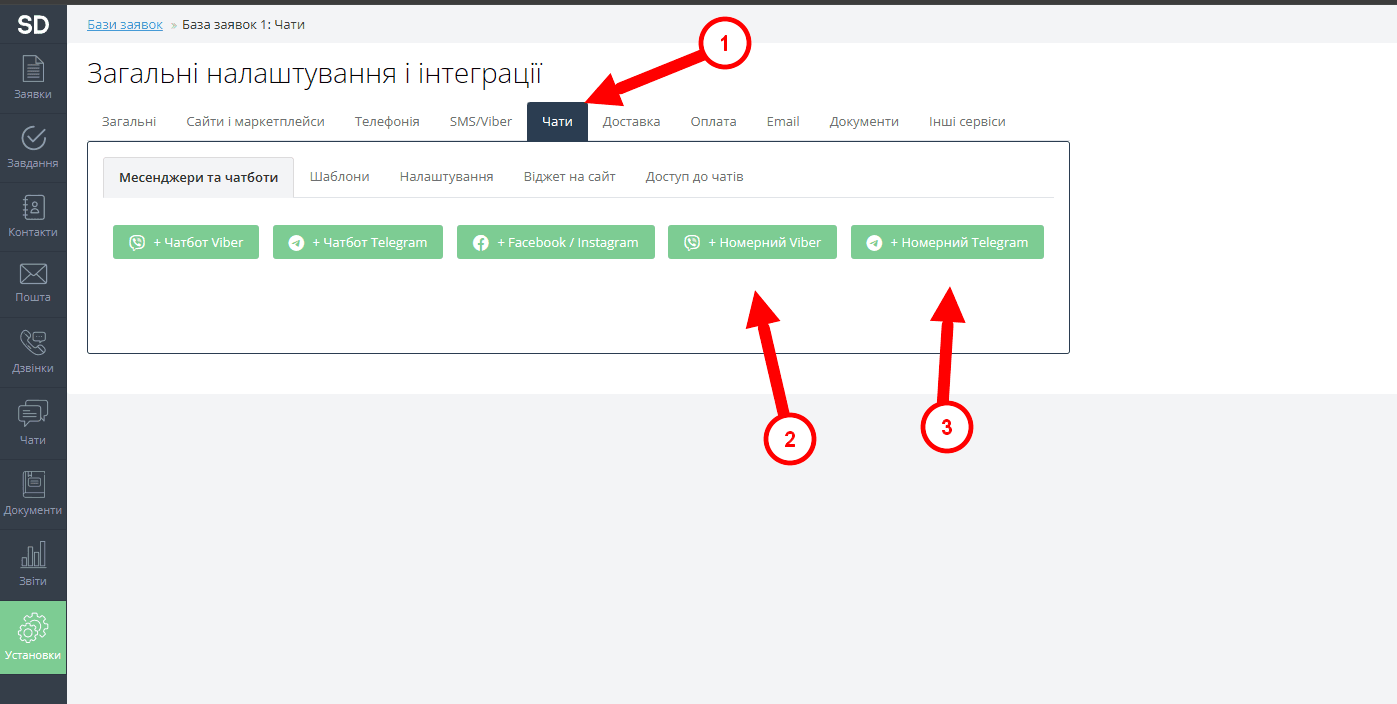
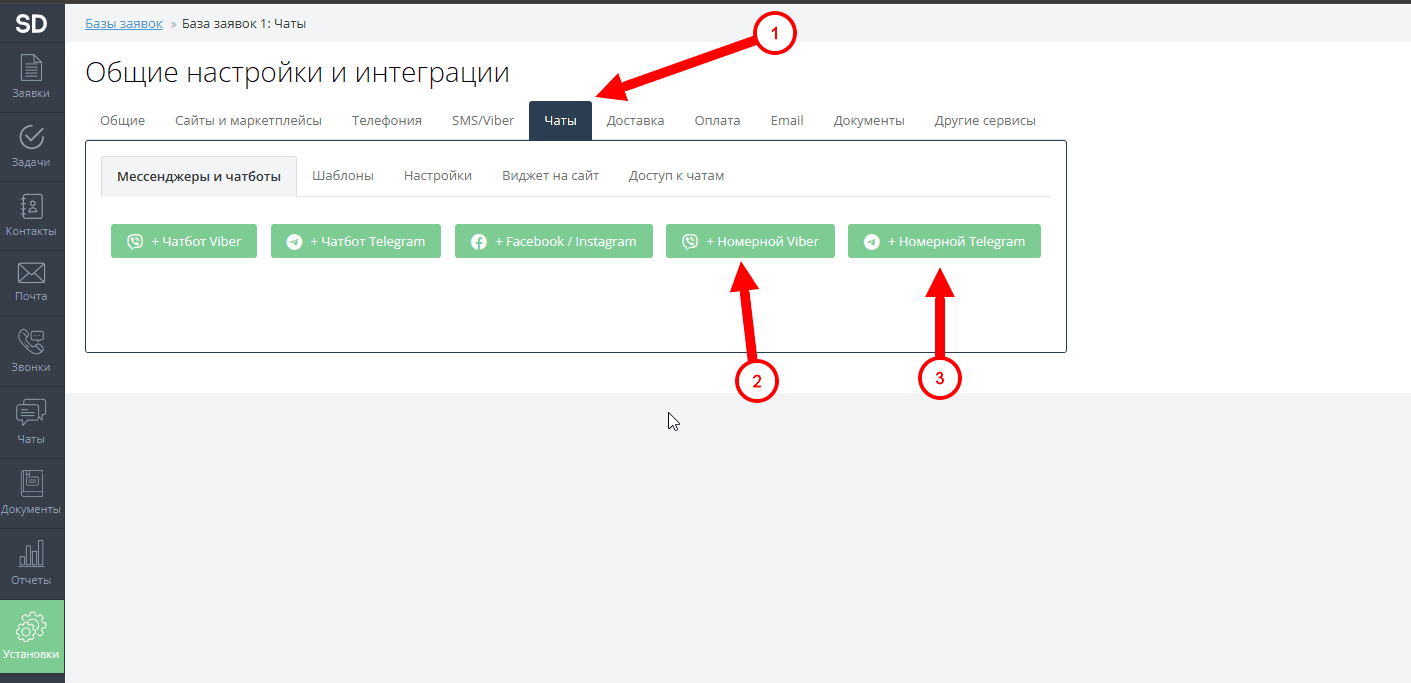
3) Select the tab: "Chats" and click on the button corresponding to the messenger to be added: (Number Viber\Telegram).
4) A window will open where you will need to enter your number and API key.
(You can find API-key in your personal cabinet on our site, in the section: "Integrations").
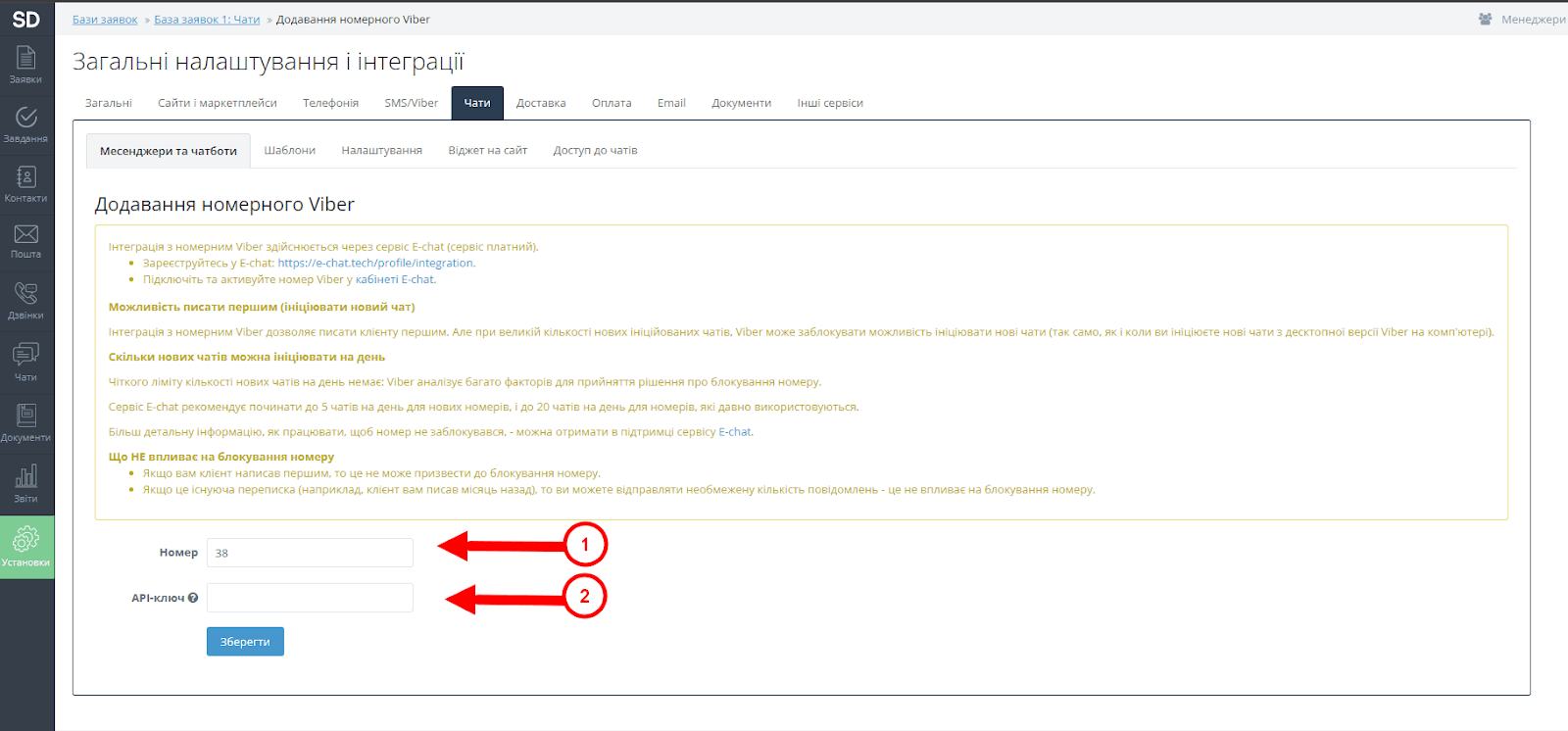
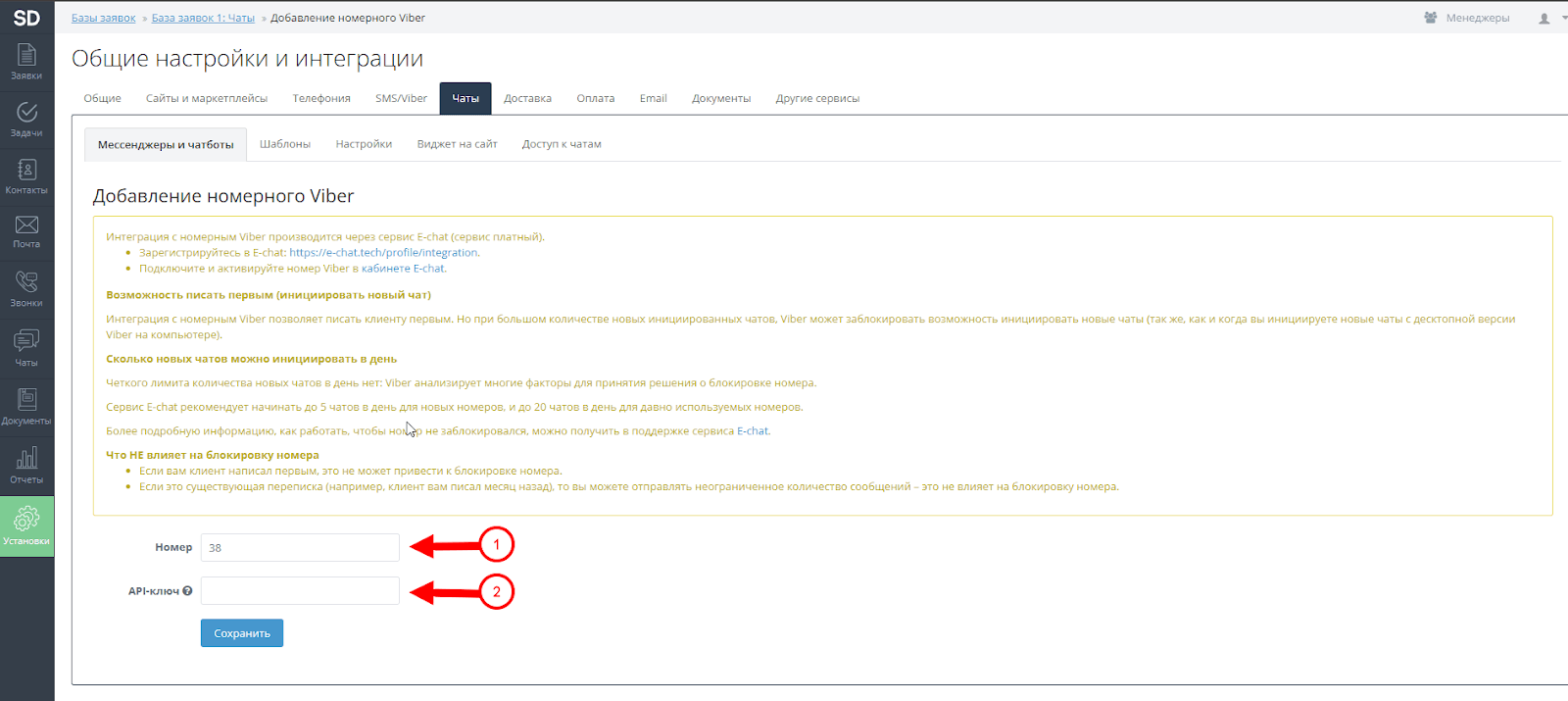
5) After entering your number and API-key - click: "Save".
Done, your integration has been successfully created.
Was this article helpful?
Share it with colleagues who might need it
Connect messengers to your CRM
Message clients first right from the client card and keep all conversations in your CRM. 7-day free trial, up to 40% off when connecting several numbers.