RoApp
Connecting Telegram number to RoApp
1) Go to your RoApp portal.
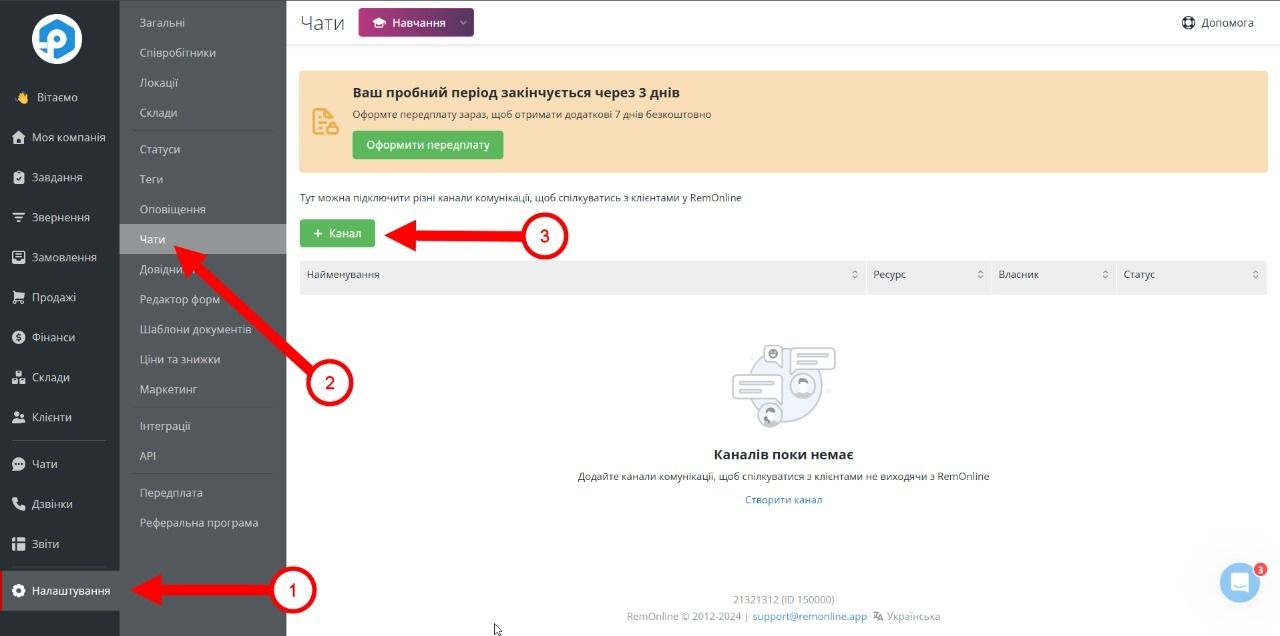
2) In the left hand corner you need to go to the following section:
Settings > Chats and click on the "+ Channel" button
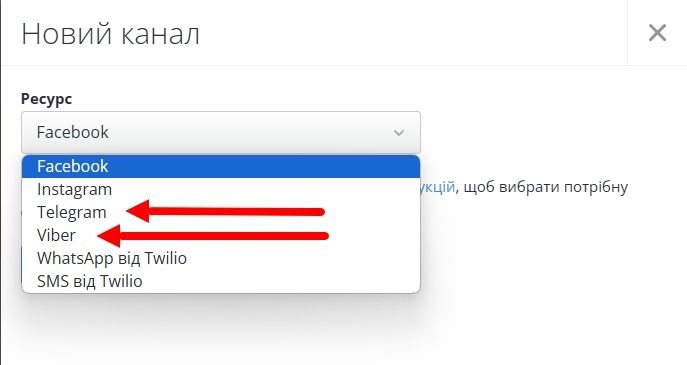
3) In the opened window you need to select one of the messengers you want to integrate into CRM. (Viber / Telegram)
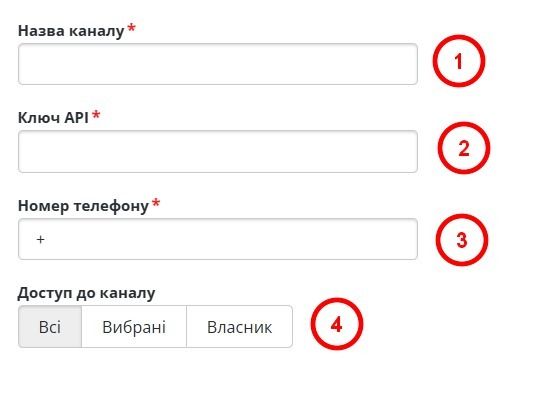
4) You will be presented with 4 fields to fill in:
Channel name - You will enter any name you want
API key - You can find the key in your personal cabinet on our website, in the "Integrations" section.
Phone number - You enter the number you want to integrate with.
Access to the channel:
- All - all employees of the company will have access to the Chat settings, provided that such access is allowed to them by the system;
- Selected - only selected employees will have access to the Chat settings, provided that such access is allowed by the system;
- Owner - only the Owner of the company will have access to the settings.
(To change the settings of employees' access to Chat and Chat settings, you should go to Settings > Employees > Roles and edit the necessary settings).
5) After filling in all the fields - click the button: "Create" at the very bottom.
Done. The integration has been successfully created.
You can learn how to work with chats in the following instructions
Was this article helpful?
Share it with colleagues who might need it
Connect messengers to your CRM
Message clients first right from the client card and keep all conversations in your CRM. 7-day free trial, up to 40% off when connecting several numbers.