OneBox
Connecting Viber number to OneBox
Viber number integration
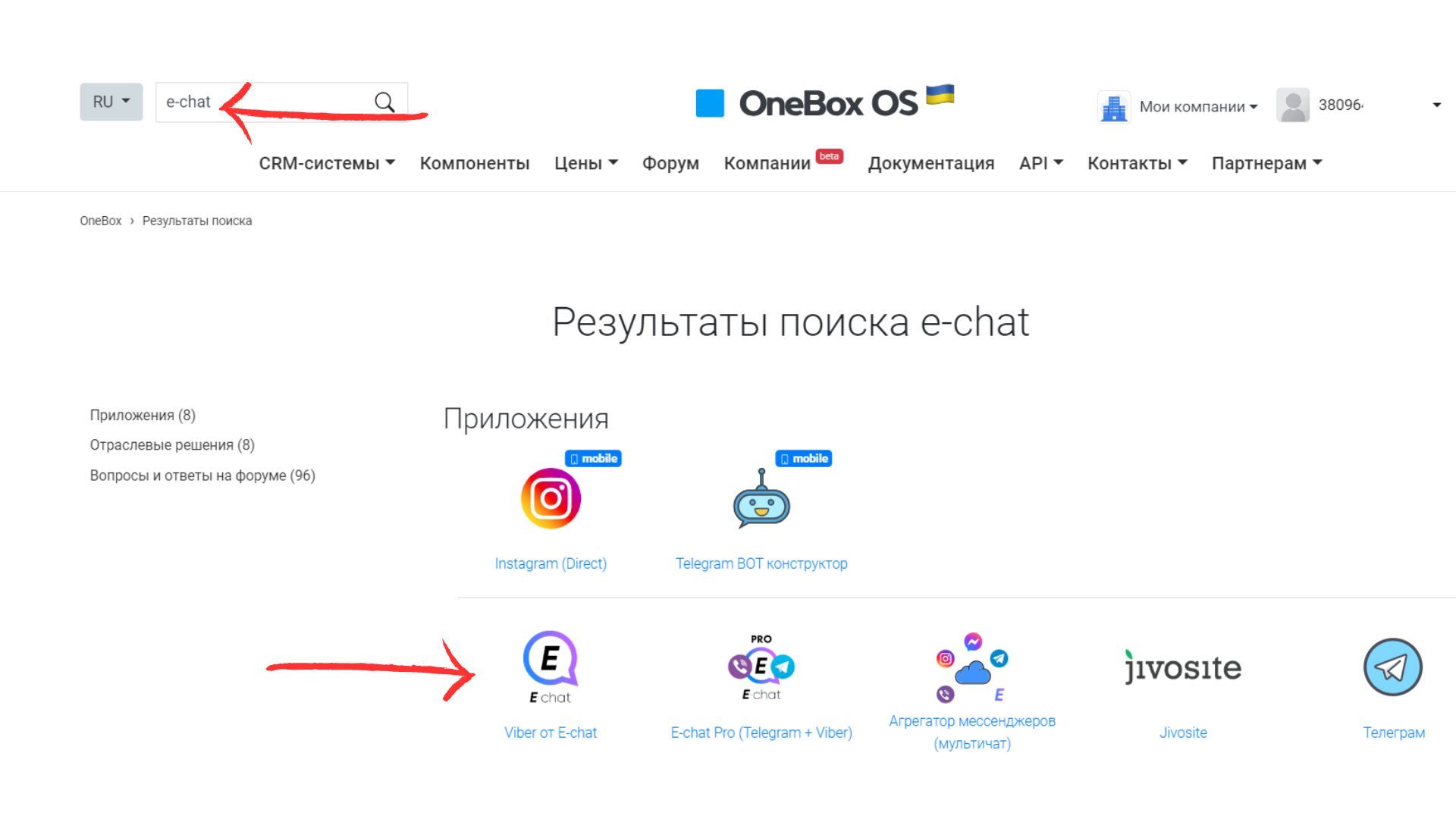
- Go to OneBox OS
- Find the “E-chat” app - type “E-chat” in the search and tap on it
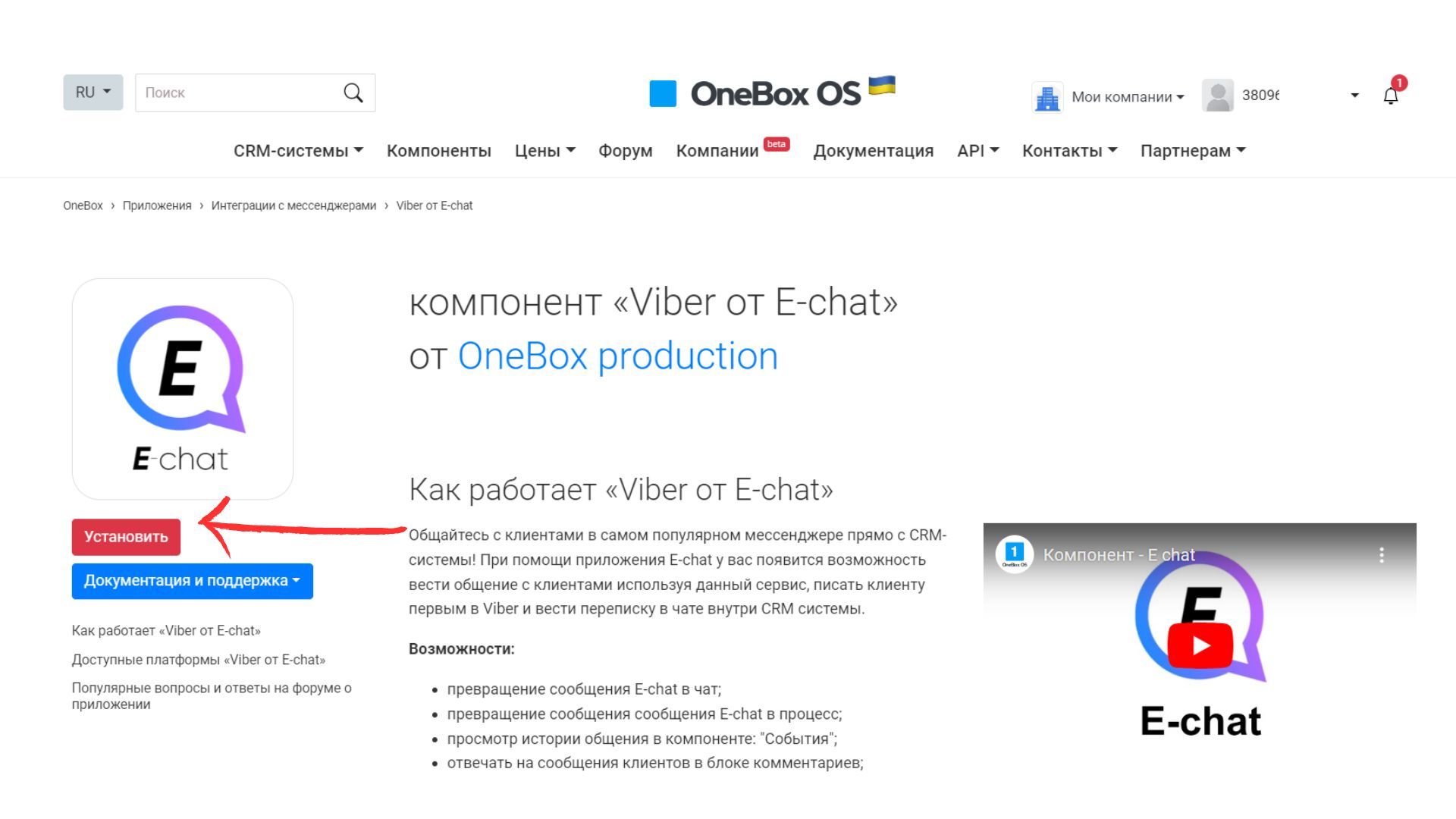
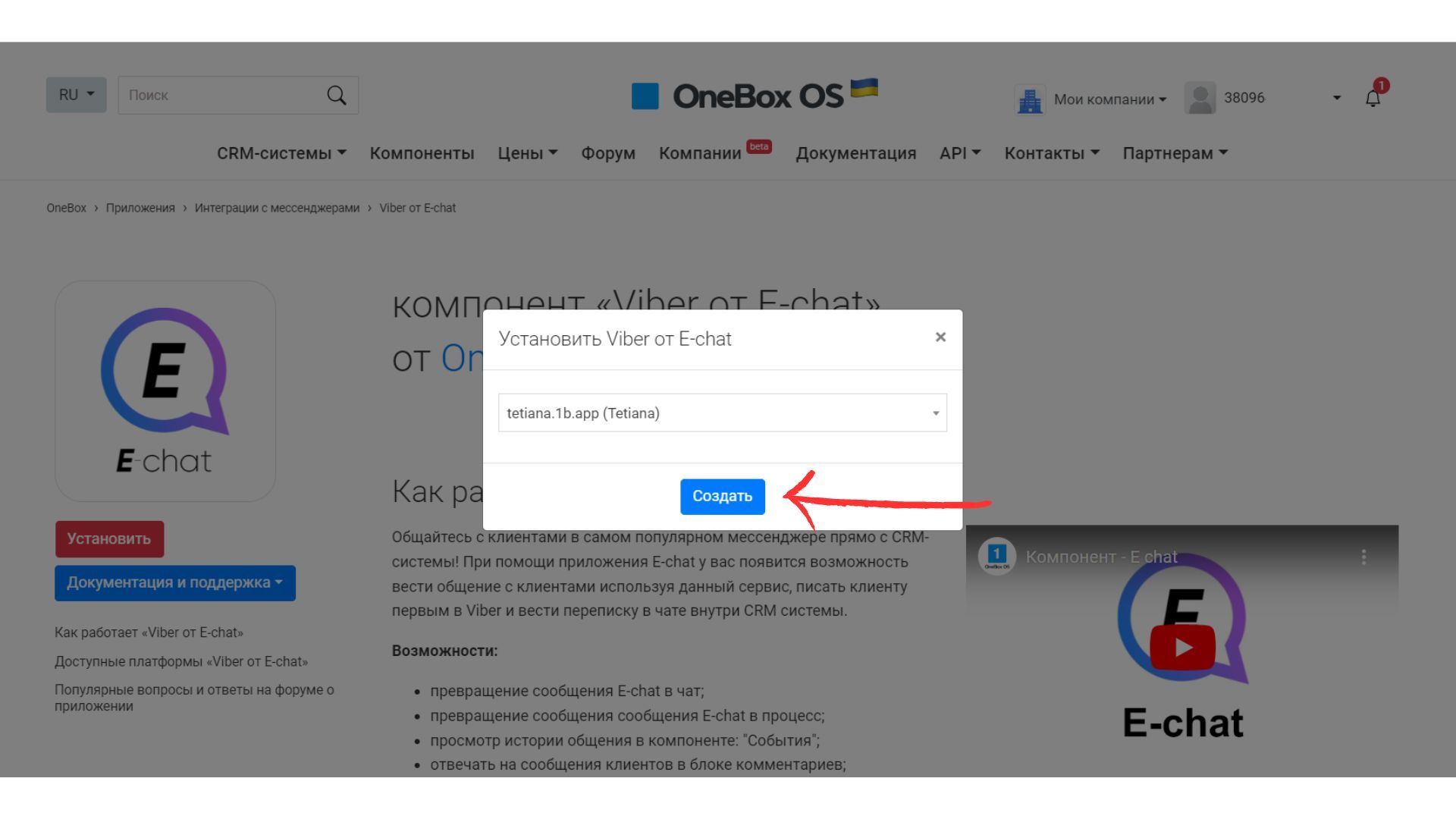
- Tap “Install”, then select the store and tap “Create”.
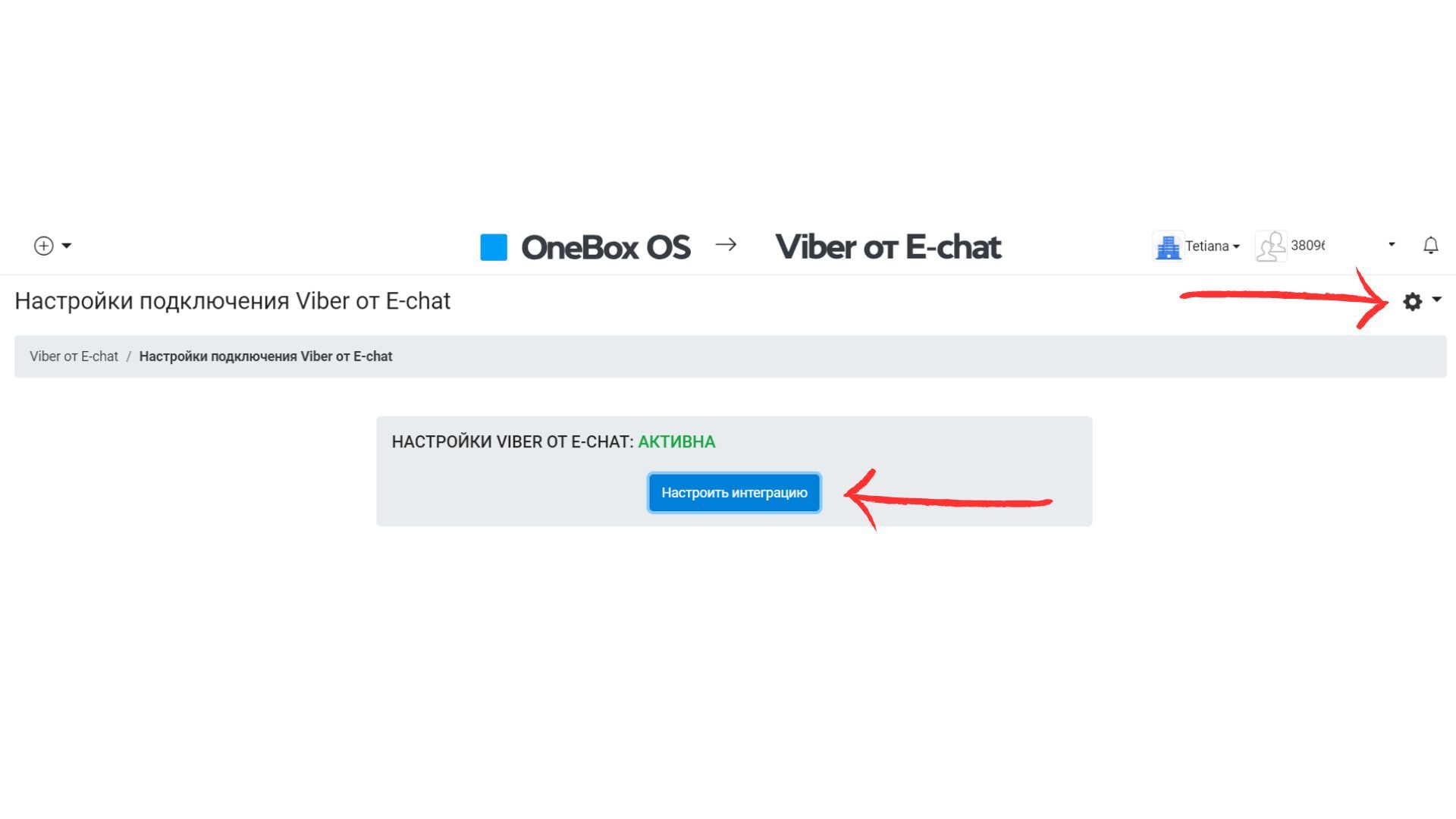
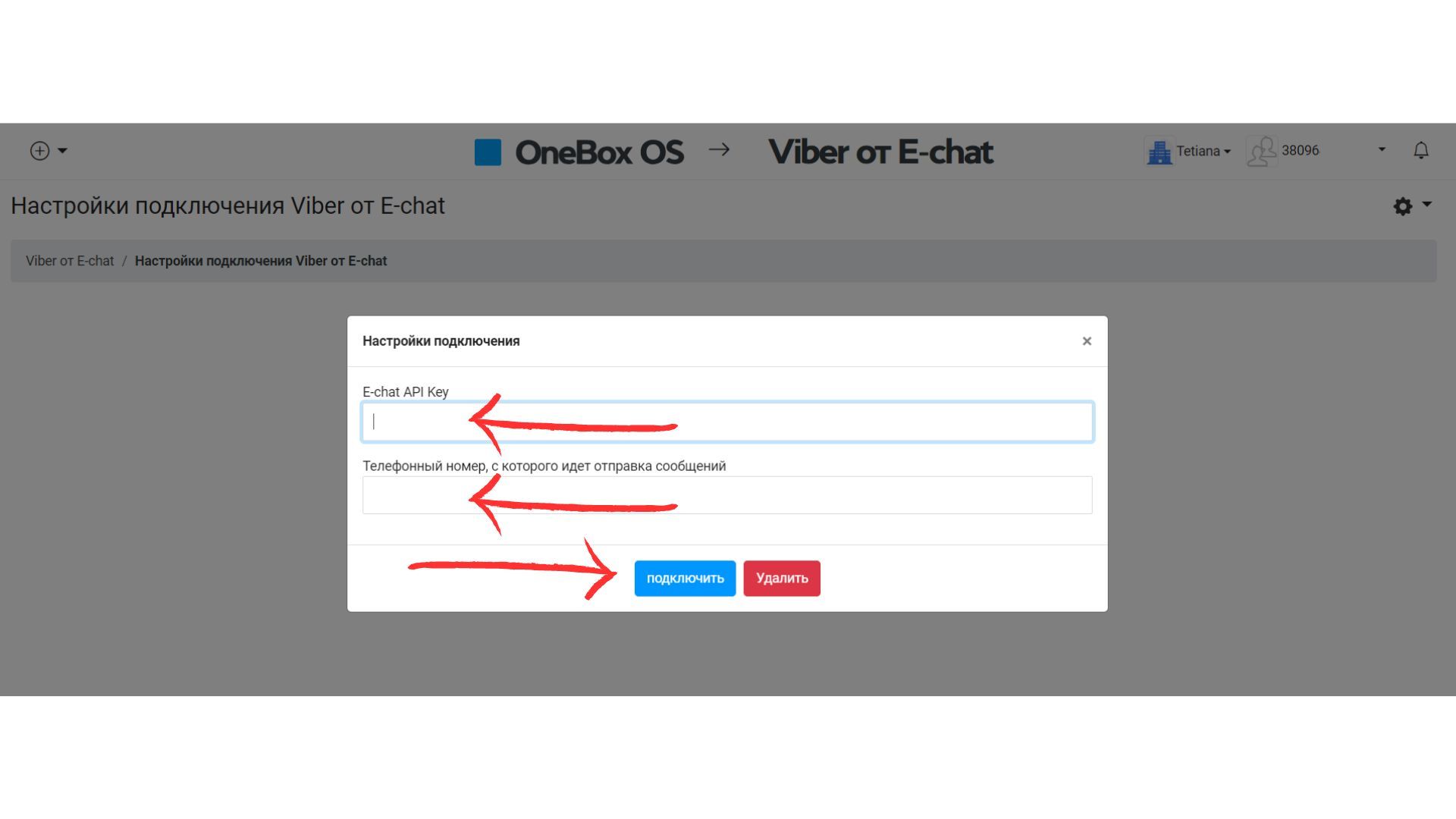
- Go to the app and tap the settings sign in the top right corner - then tap “Customize Integration”
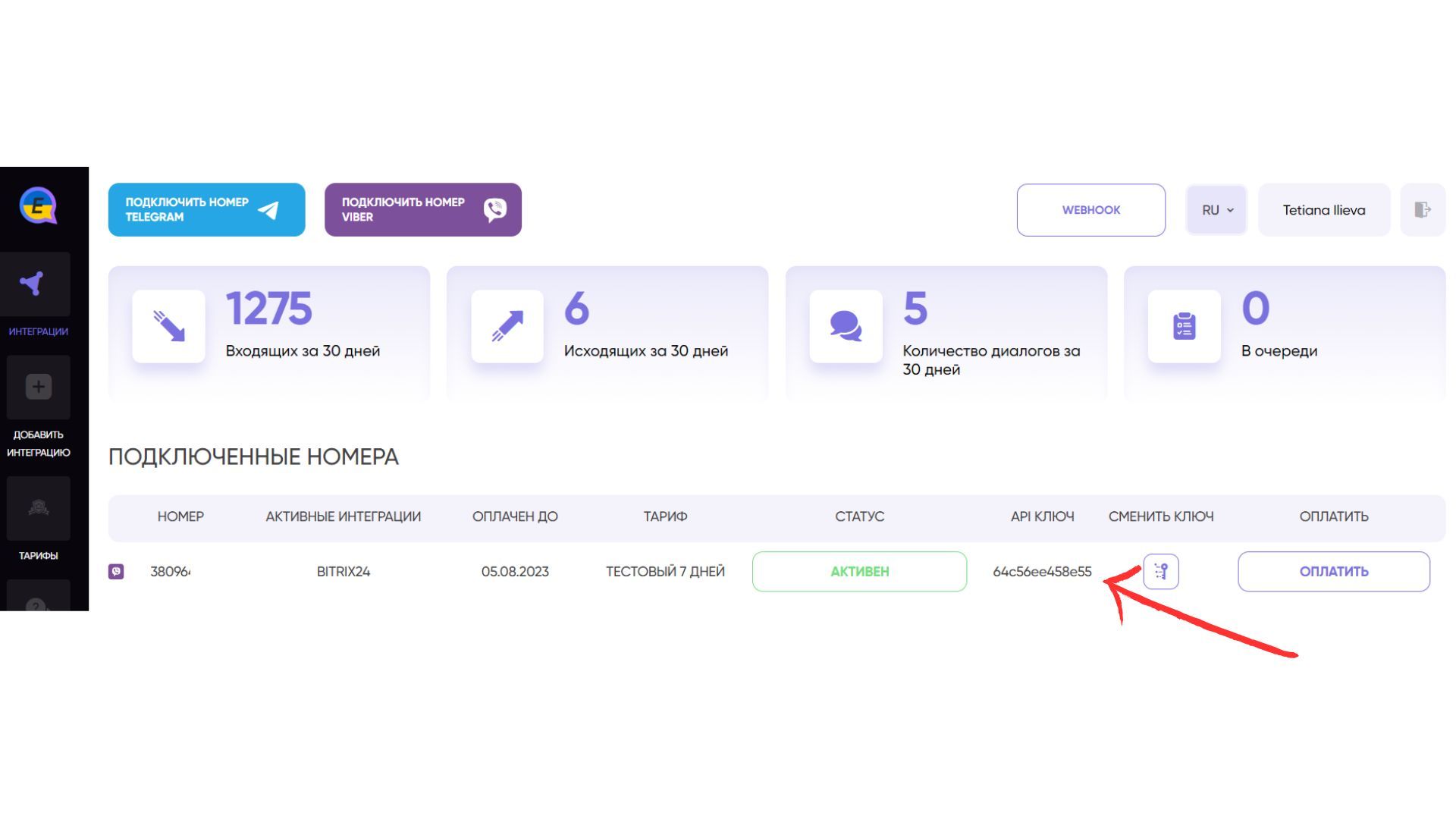
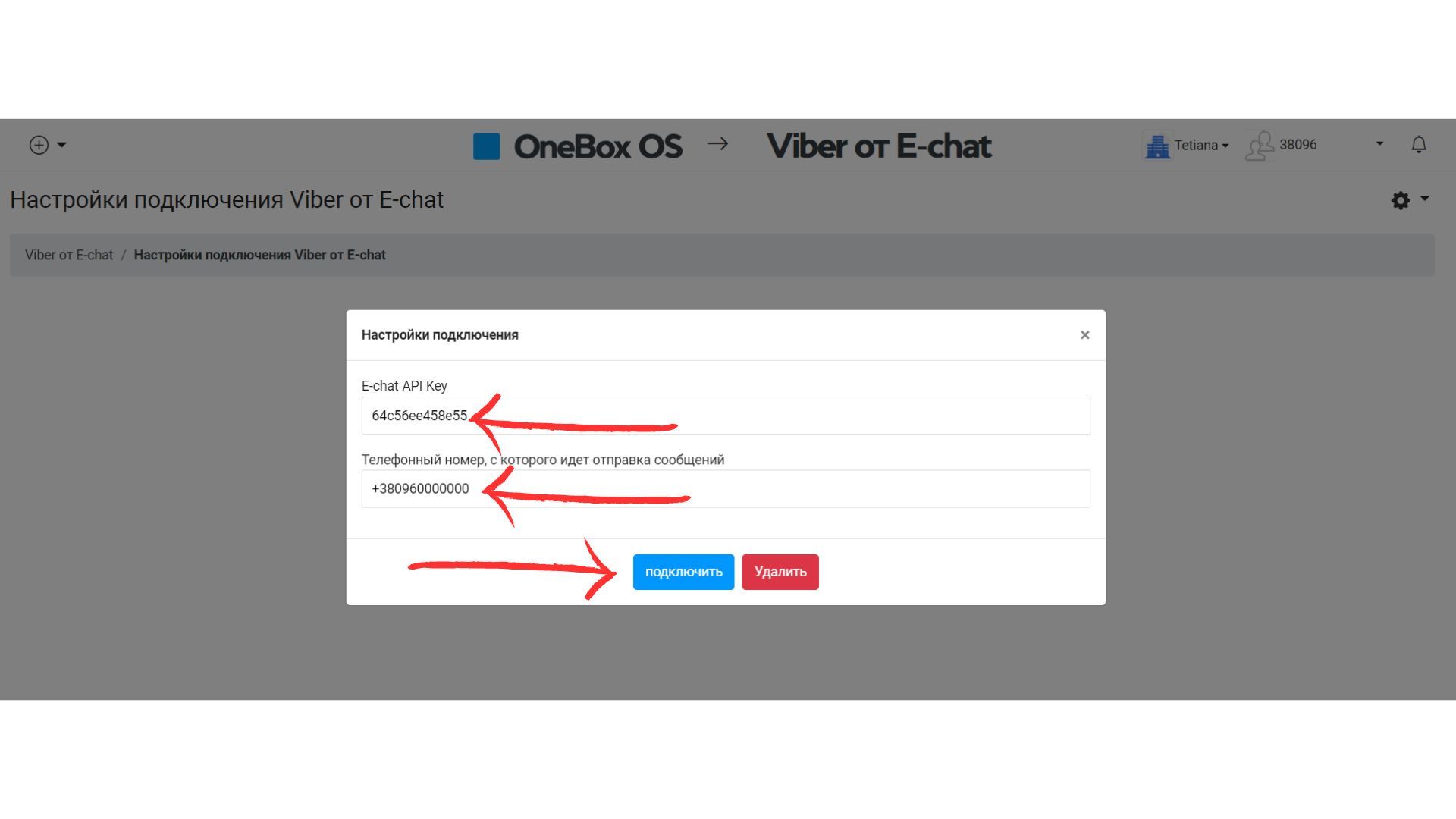
- In the fields, enter the number to be added (the number must be activated in the “E-chat” service in your personal cabinet), and the corresponding API key (you can find it in your personal cabinet “E-chat”).
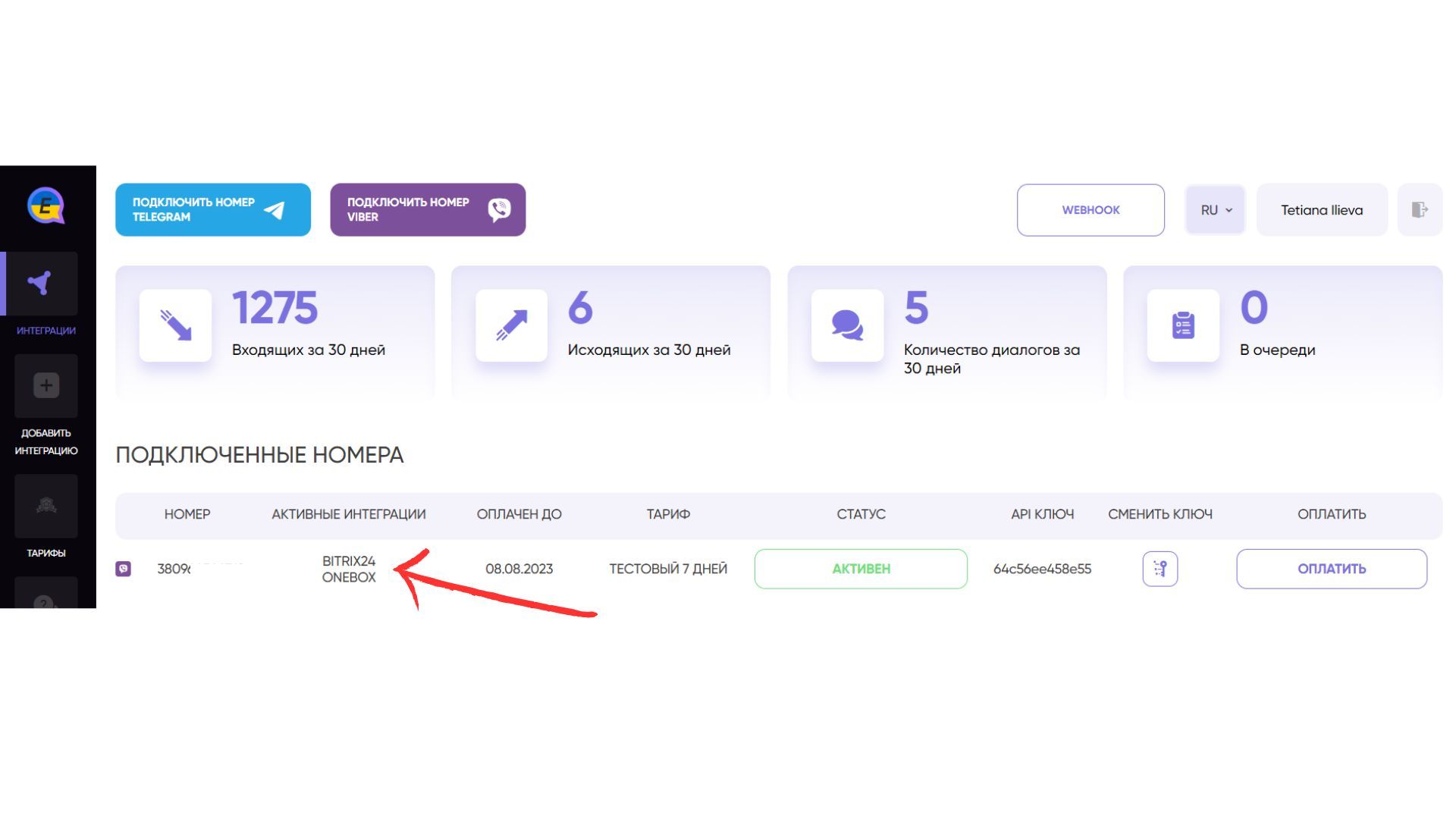
- The new integration will be immediately displayed in your personal E-chat account
CONGRATULATIONS! Now you can see all incoming and outgoing messages inside OneBox OS and communicate with your clients in one place.
Create a new contact and write first directly from crm OneBox OS
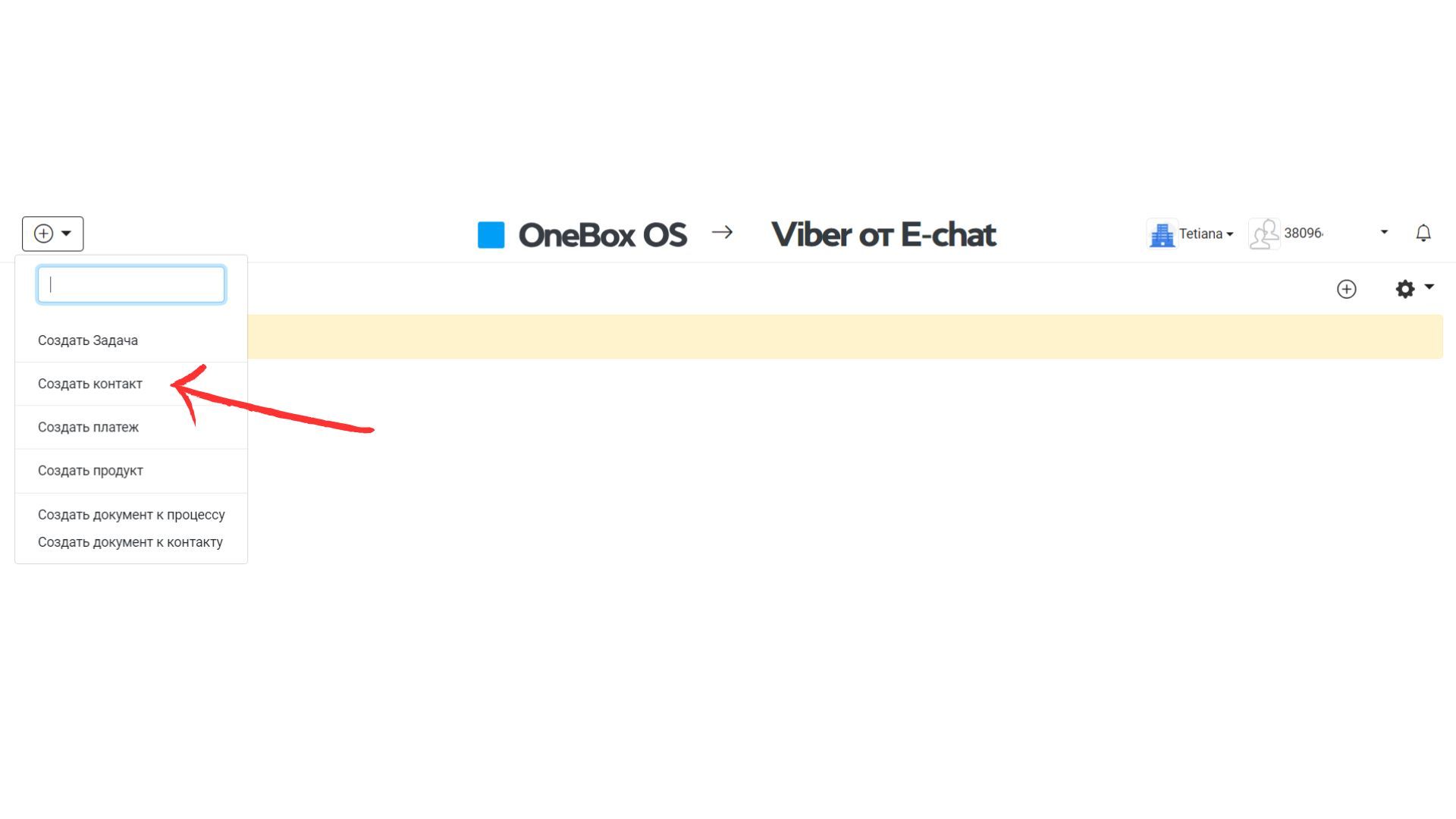
- Go to crm and press “+” in the upper left corner and select “Create Contact”
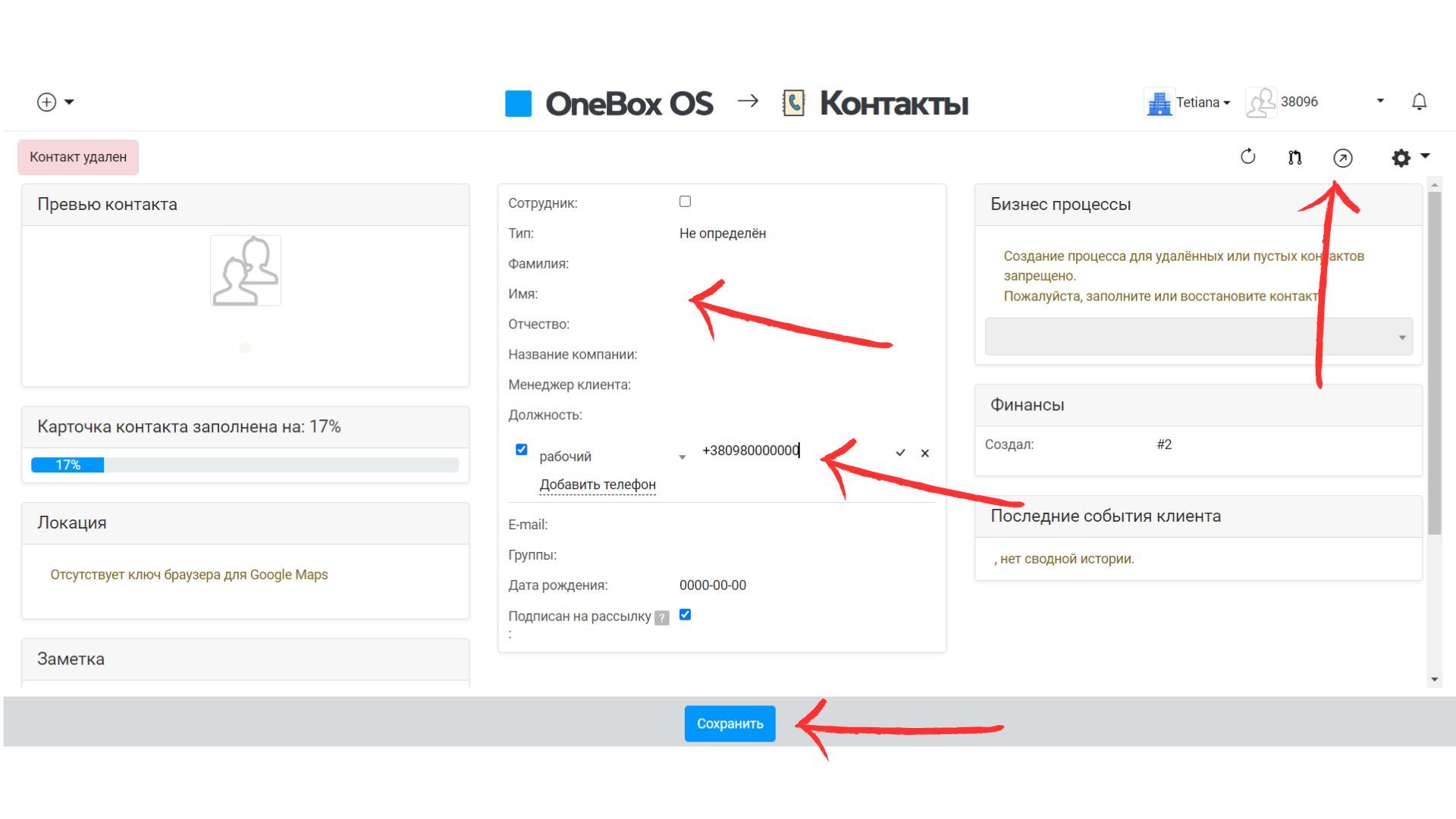
- To create a new contact, be sure to enter a name and phone number and click “Save” below
- To text the first person to the added number, click on the arrow in the upper right corner
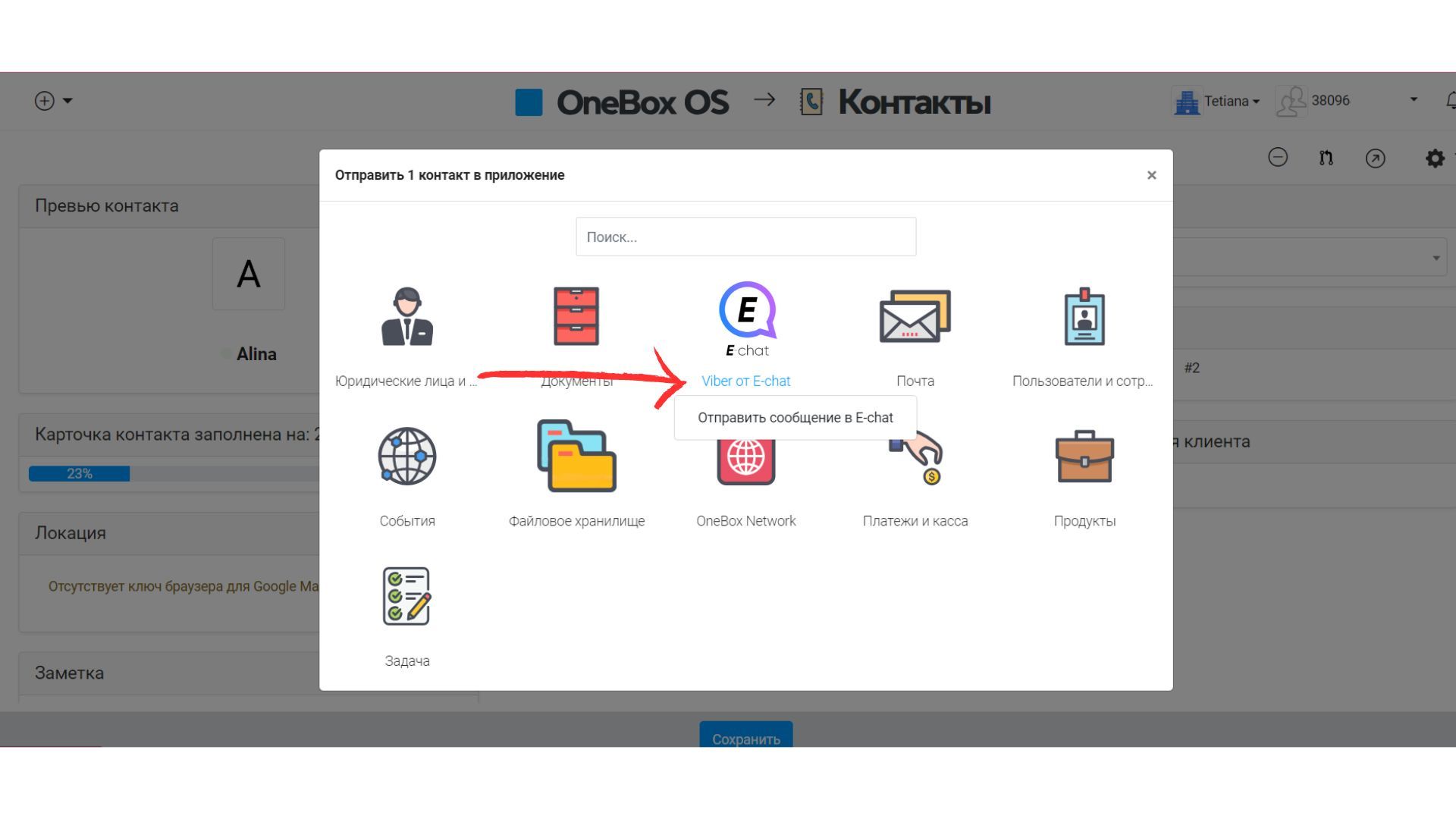
- In the opened window select “Viber from E-chat”
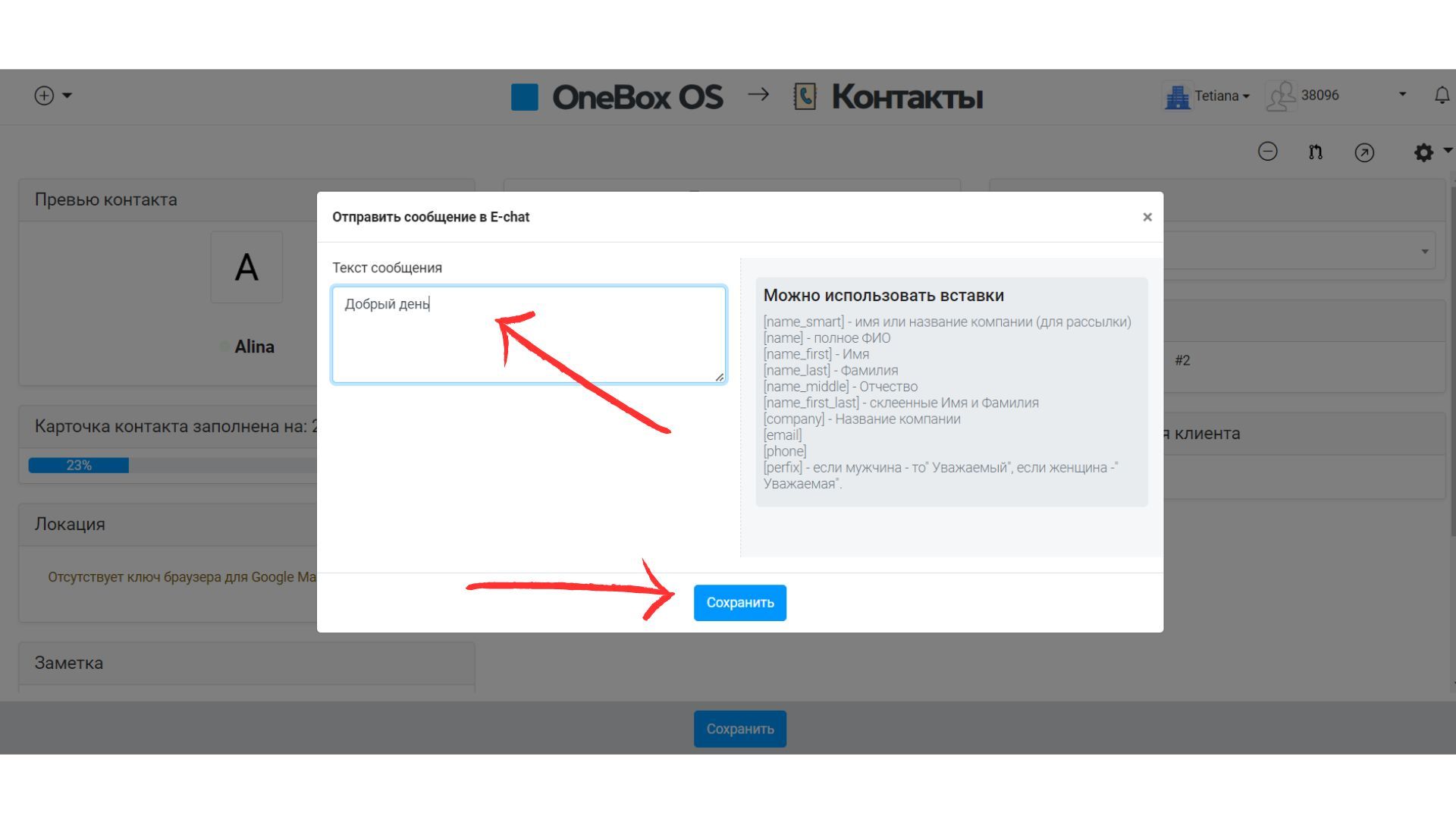
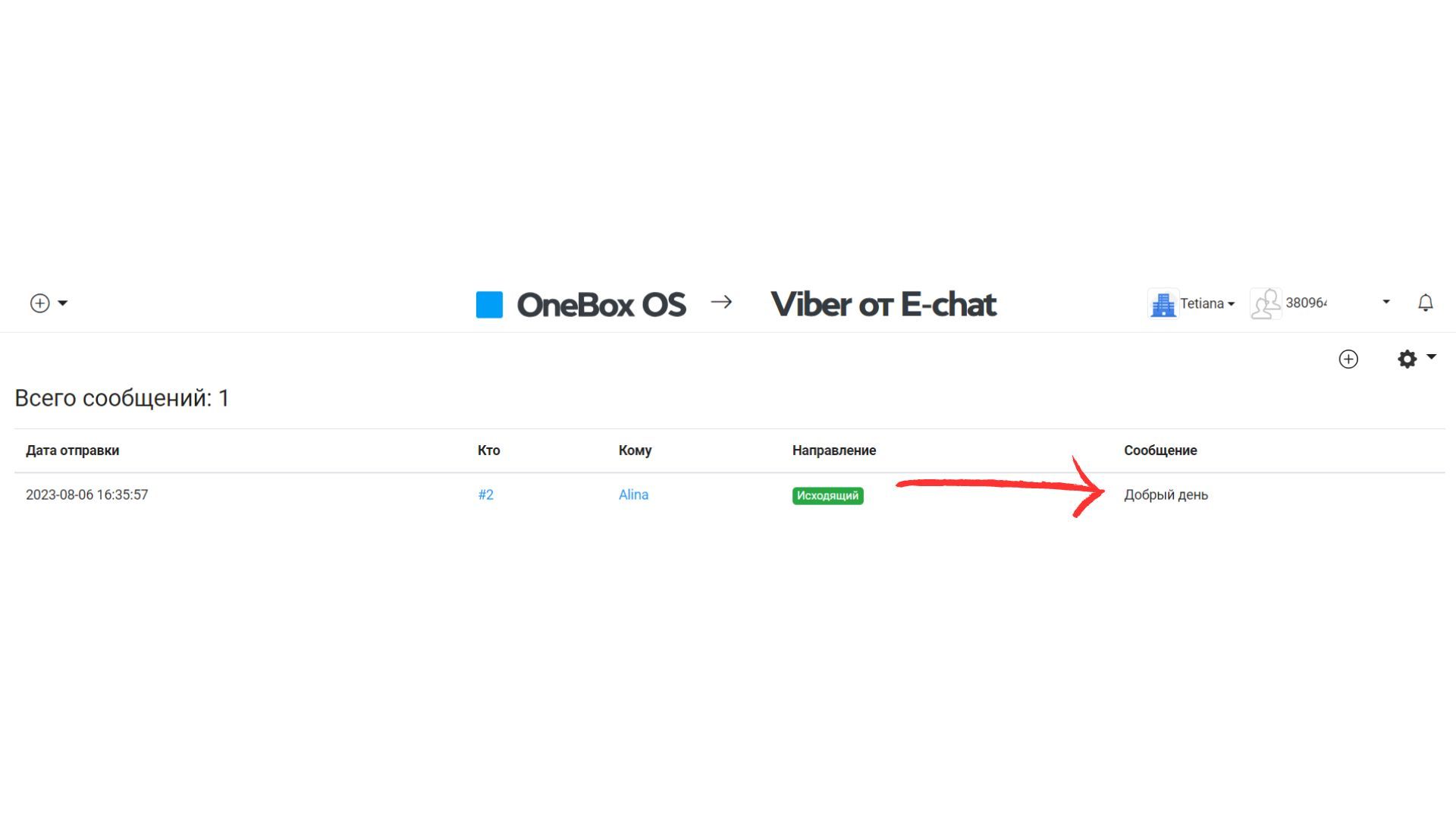
- A field will open for you where you can immediately enter a message for the created contact. Click “Save” to send it
Congratulations! Your first message has been sent to a client.
- The main thing!
- You can only add an active number
- OneBox OS will display all incoming and outgoing messages to your number when communicating inside OneBox OS service or in Viber application.
- Be careful when sending your first messages from Viber, as the messenger has restrictions on sending messages, we recommend you to familiarize yourself with the limits for sending messages from Viber.
Was this article helpful?
Share it with colleagues who might need it
Connect messengers to your CRM
Message clients first right from the client card and keep all conversations in your CRM. 7-day free trial, up to 40% off when connecting several numbers.