G-PLUS CRM
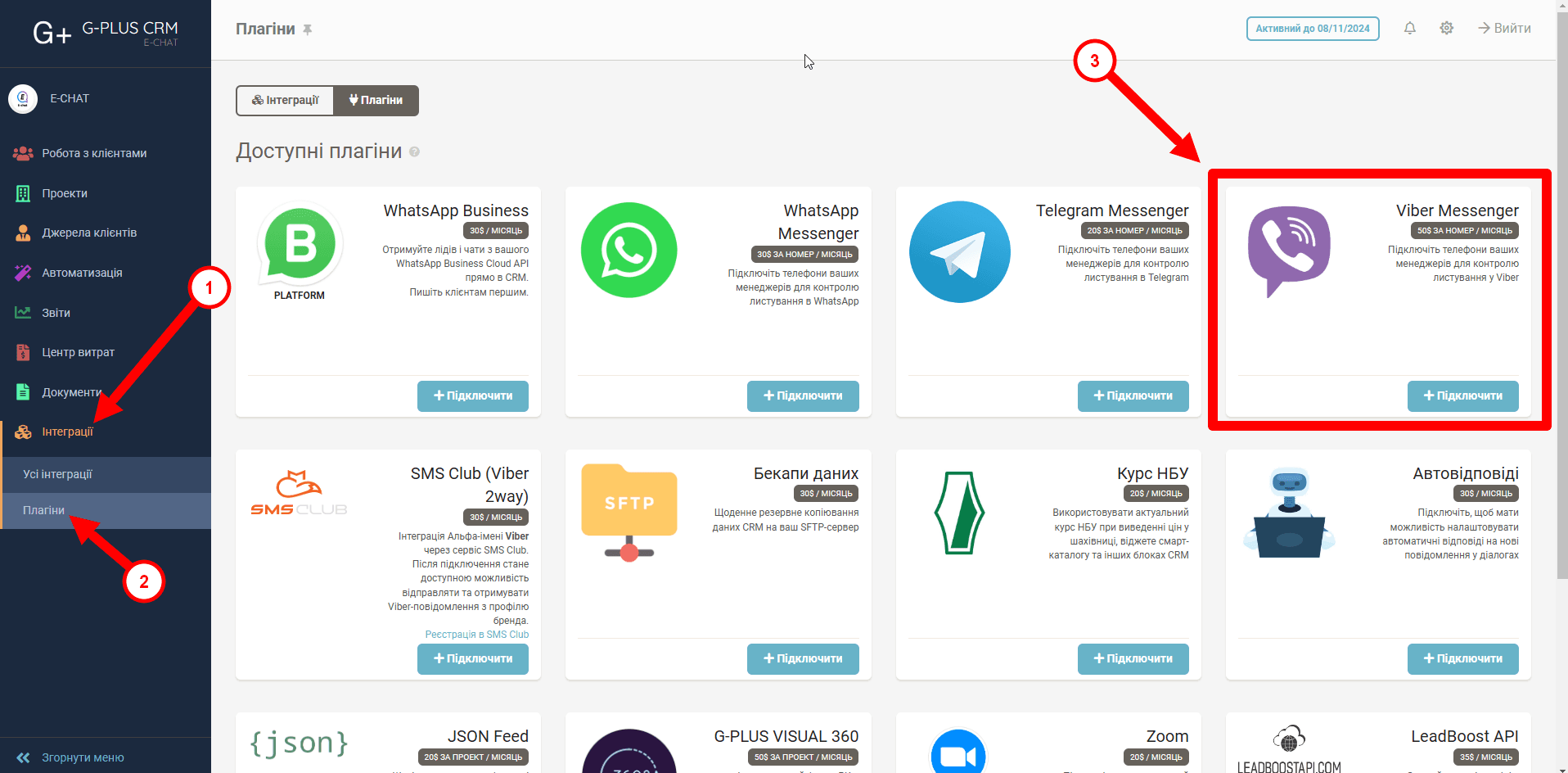
Step 1. Installing the E-chat Service Widget in the G-Plus Portal
- Sign in to your G-Plus portal.
- Go to "Integrations" > "Plugins".
- Select the "Viber Messenger" widget and click "+Connect".
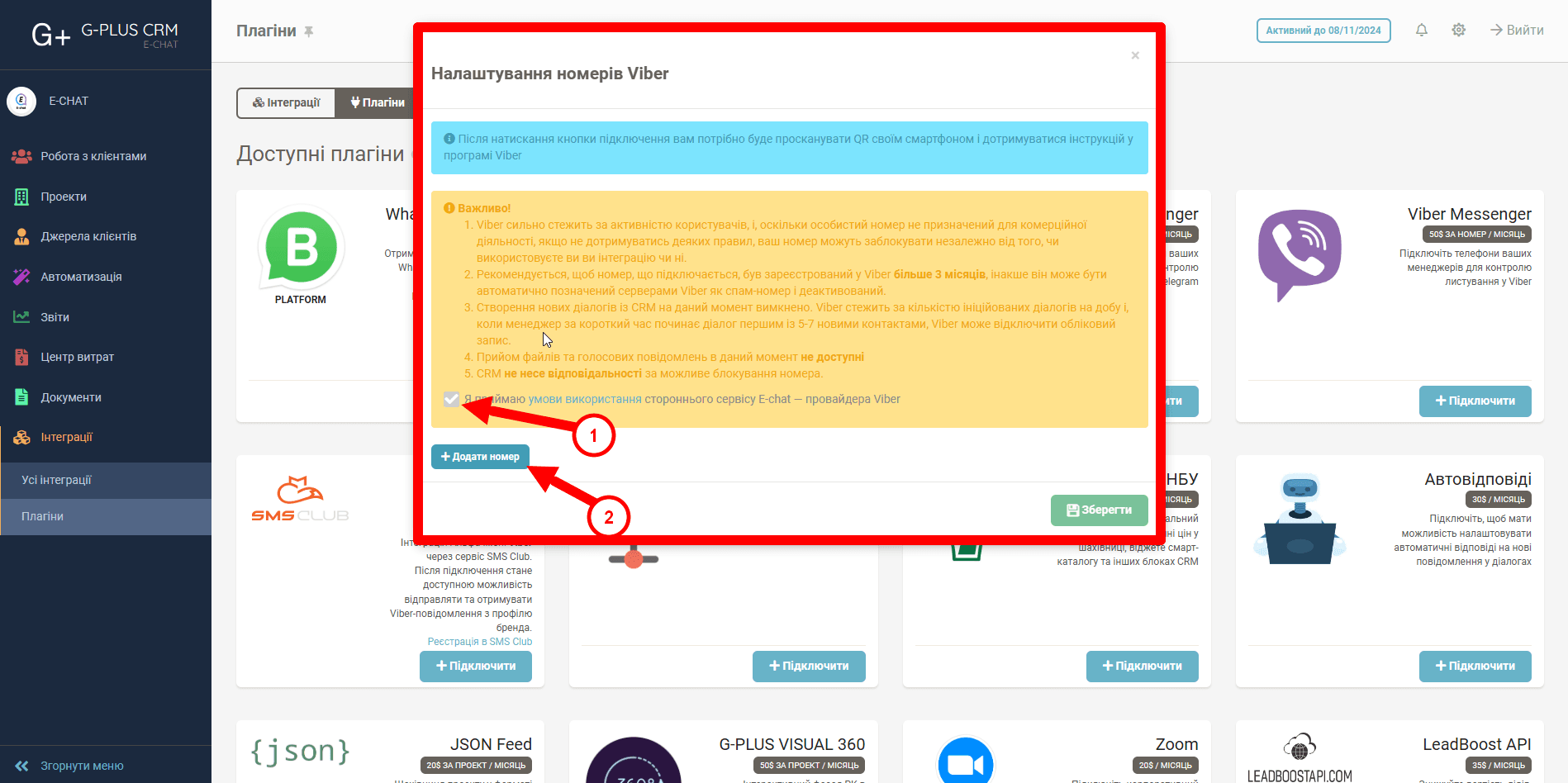
4) A window will open where you need to accept the terms of use and add the Viber number you want to use for the integration.
Was this article helpful?
Share it with colleagues who might need it
Connect messengers to your CRM
Message clients first right from the client card and keep all conversations in your CRM. 7-day free trial, up to 40% off when connecting several numbers.