Advanced payment
Payment options for 7 days in advance
You can pay for your number in advance. This means that the number will continue to work and you will have 7 days to pay the rate. When you pay, we will calculate the number of days used in advance. If no payment is received within 7 days after activating in advance, the option to pay in advance will be disabled.
This feature is convenient if you need a little more time to pay for the tariff than you have left until the end of the tariff, so that you don't lose messages and clients.
To pay in advance - you need to go to the Payment section - Payment in advance, tick the checkbox next to the number to which you want to add 7 days and press the activation button.
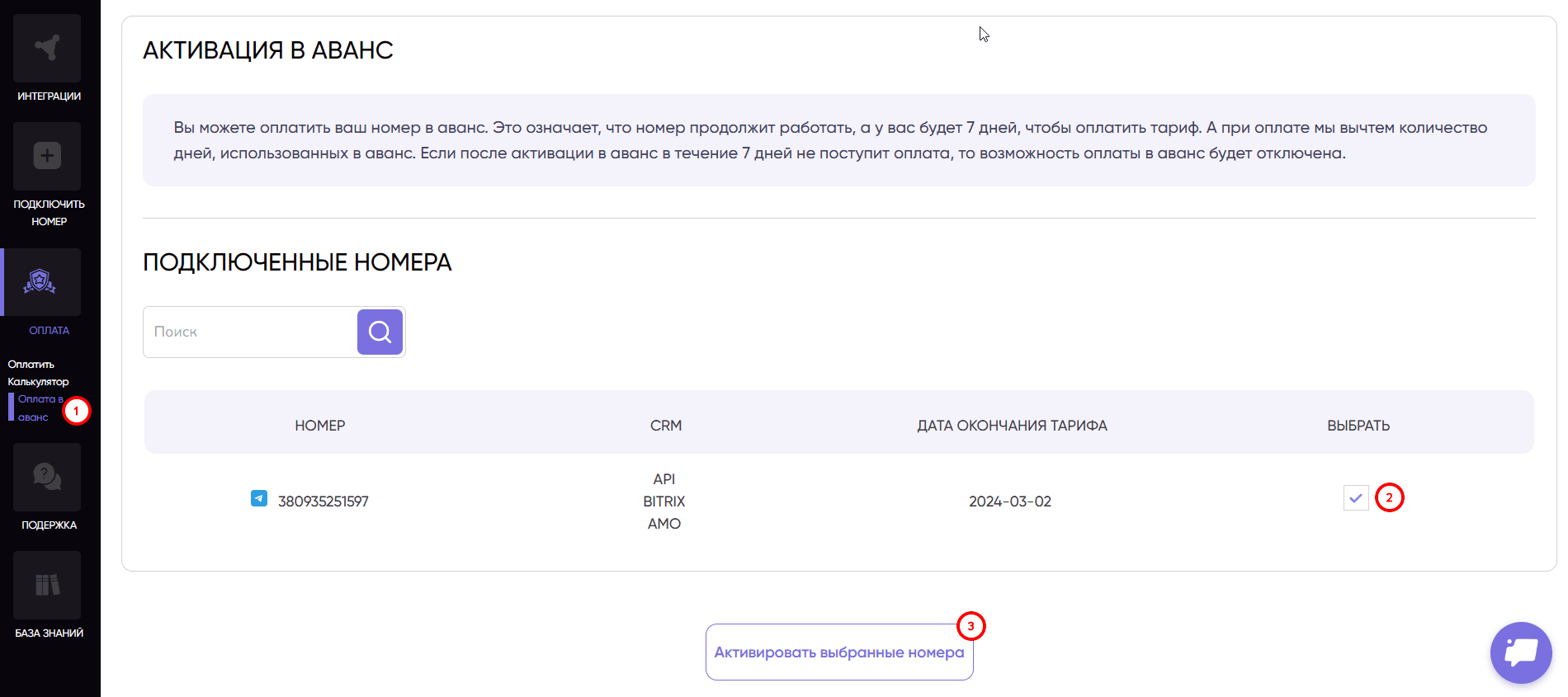
Activation of a number in advance for 7 days is available only for activated numbers 1 time after the test period or every time after payment.
Was this article helpful?
Share it with colleagues who might need it
Connect messengers to your CRM
Message clients first right from the client card and keep all conversations in your CRM. 7-day free trial, up to 40% off when connecting several numbers.